Category Report
Anda dapat membuat laporan pengguna Category Report untuk catatan hasil manajemen data category pada Activo X.
Membuat Category Report
Anda dapat membuat Category Report baru pada Activo X.
-
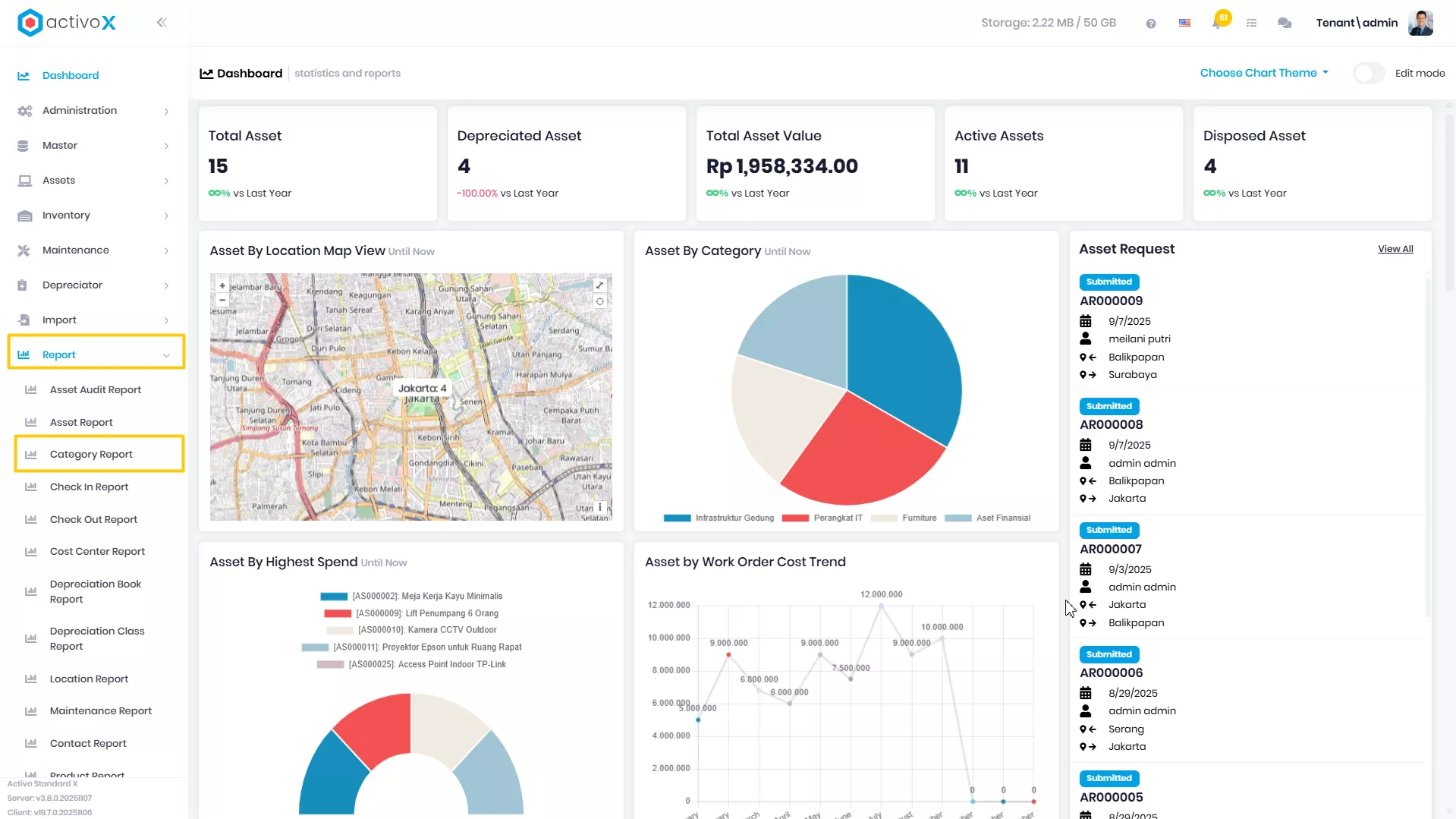
Klik menu Report lalu pilih Category Report.
-
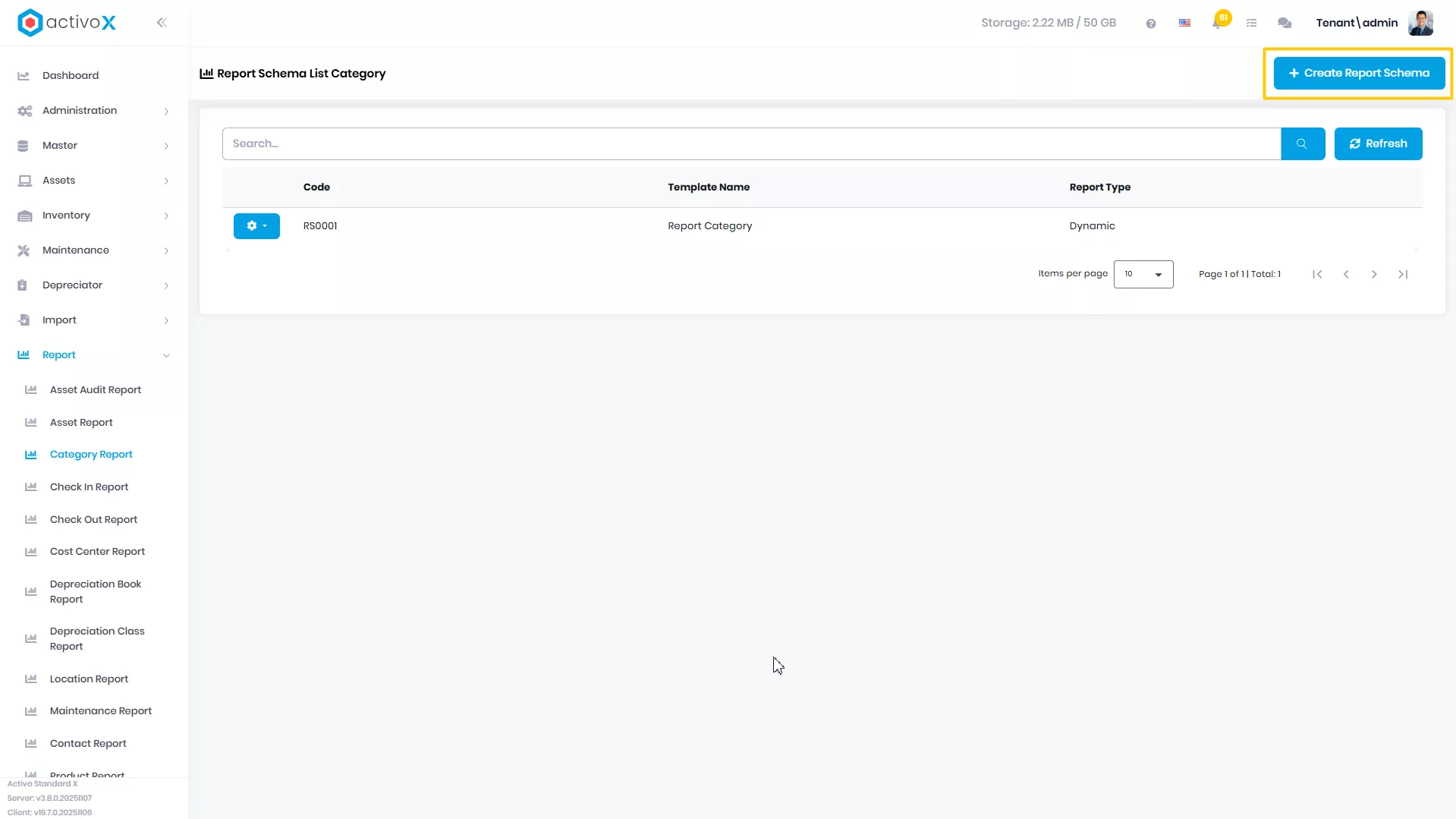
Klik Create Report Schema
-
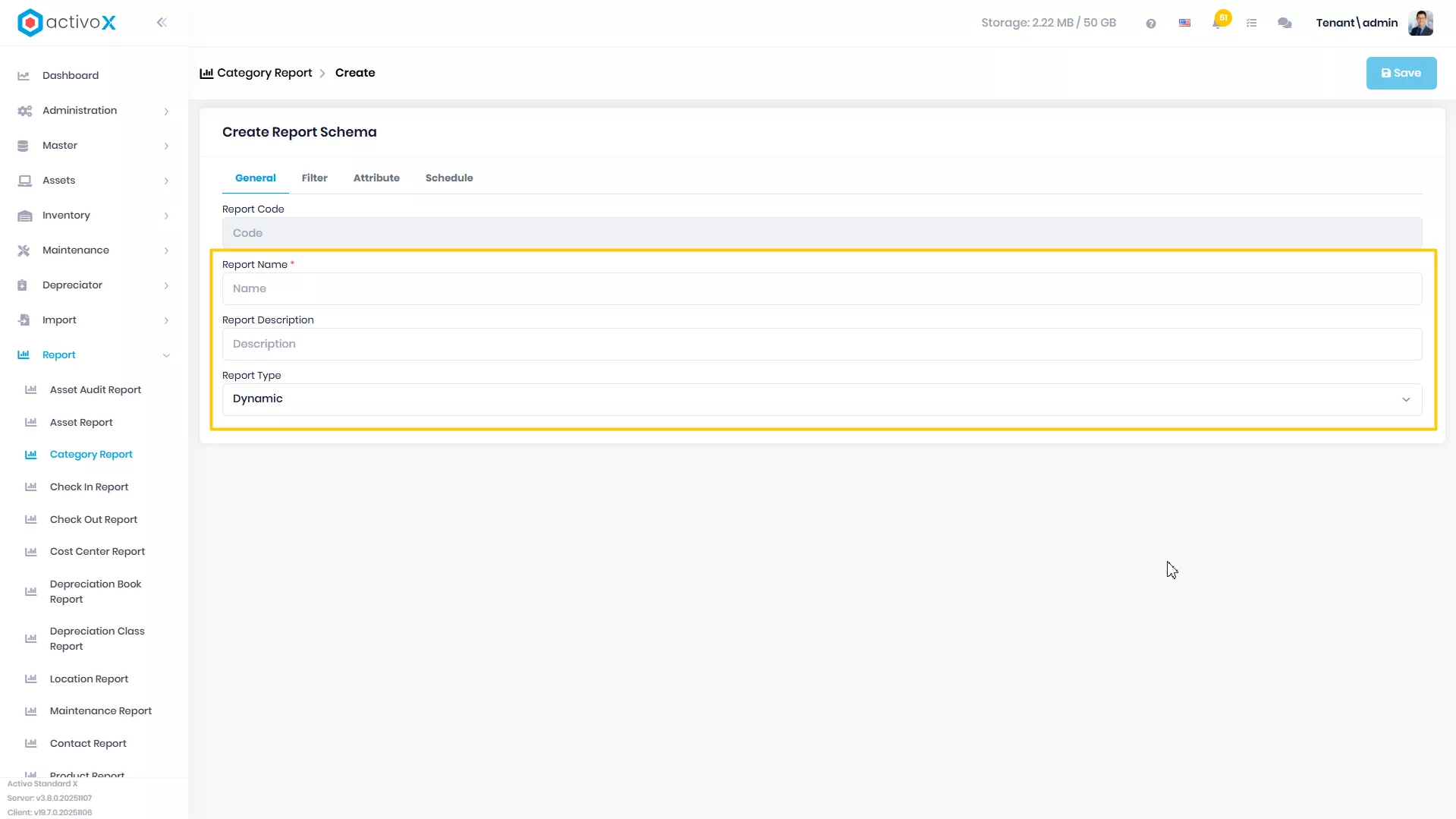
Isi Report Name
-
Isi Report Description
-
Pilih Report Type
-
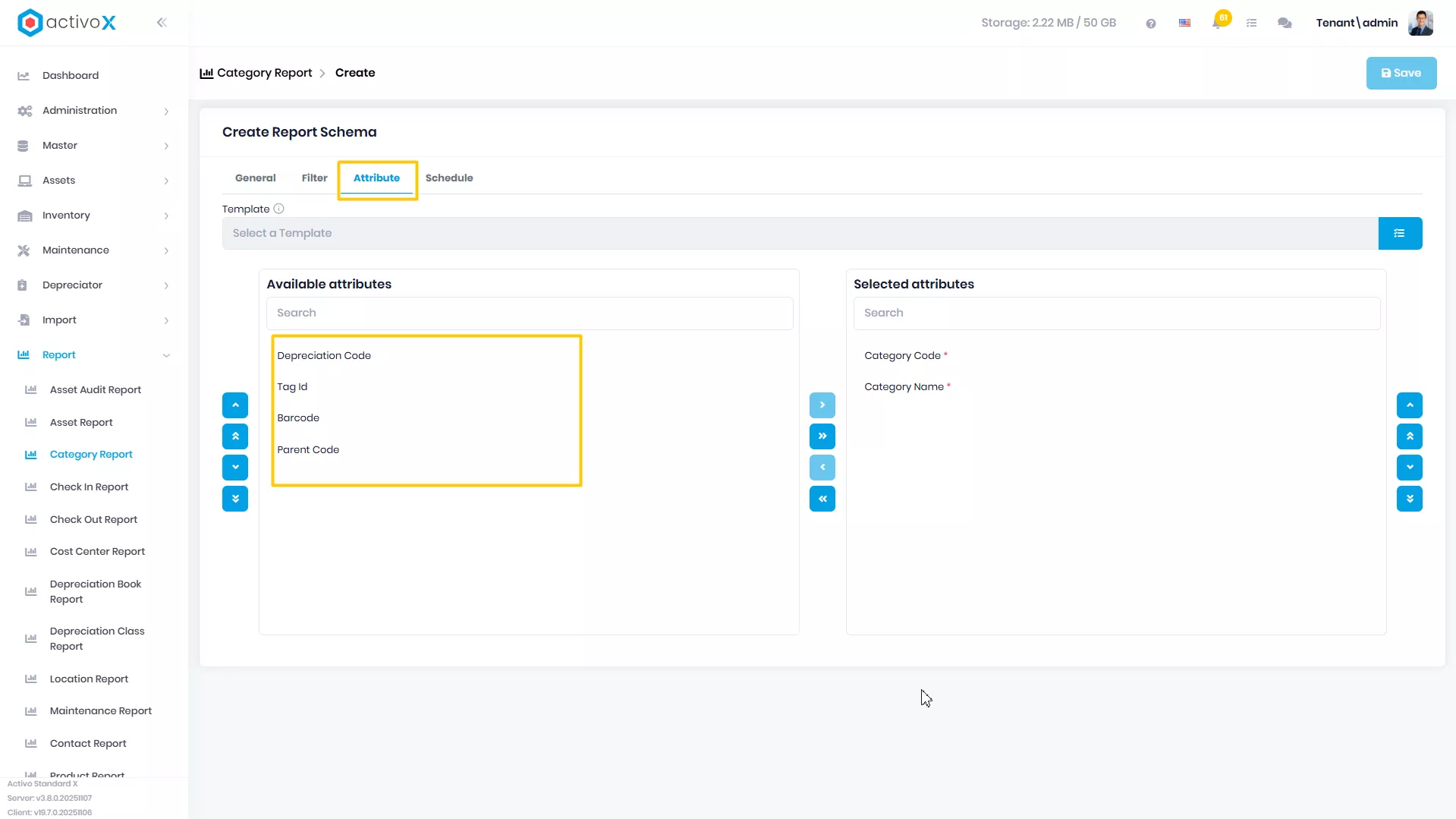
Klik tab Attributes
-
Pindahkan attribute yang ada di Available Attributes ke Selected Attributes
-
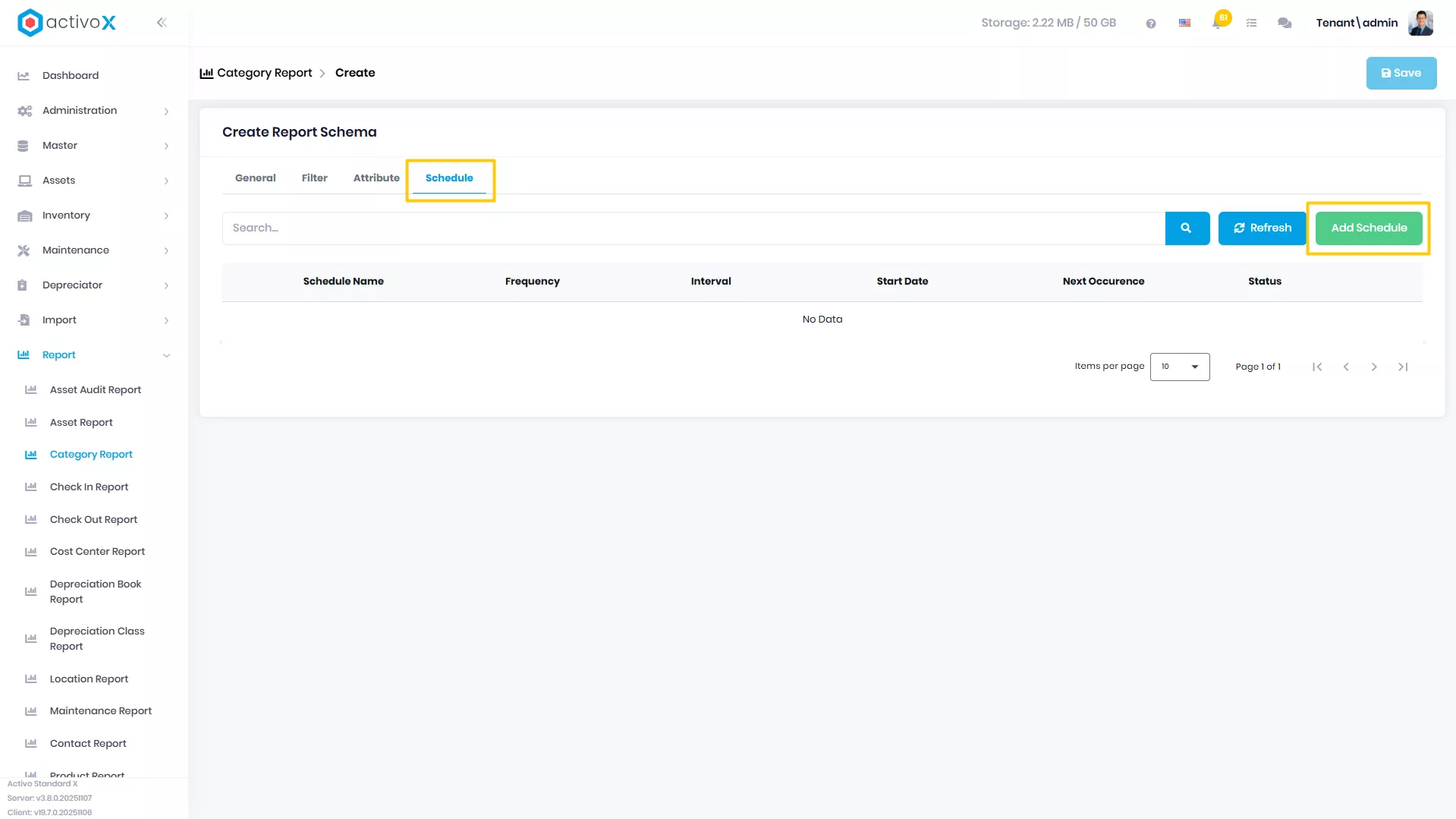
Klik tab Scheduled jika ingin membuat report terjadwal
-
Klik button Add Schedule
-
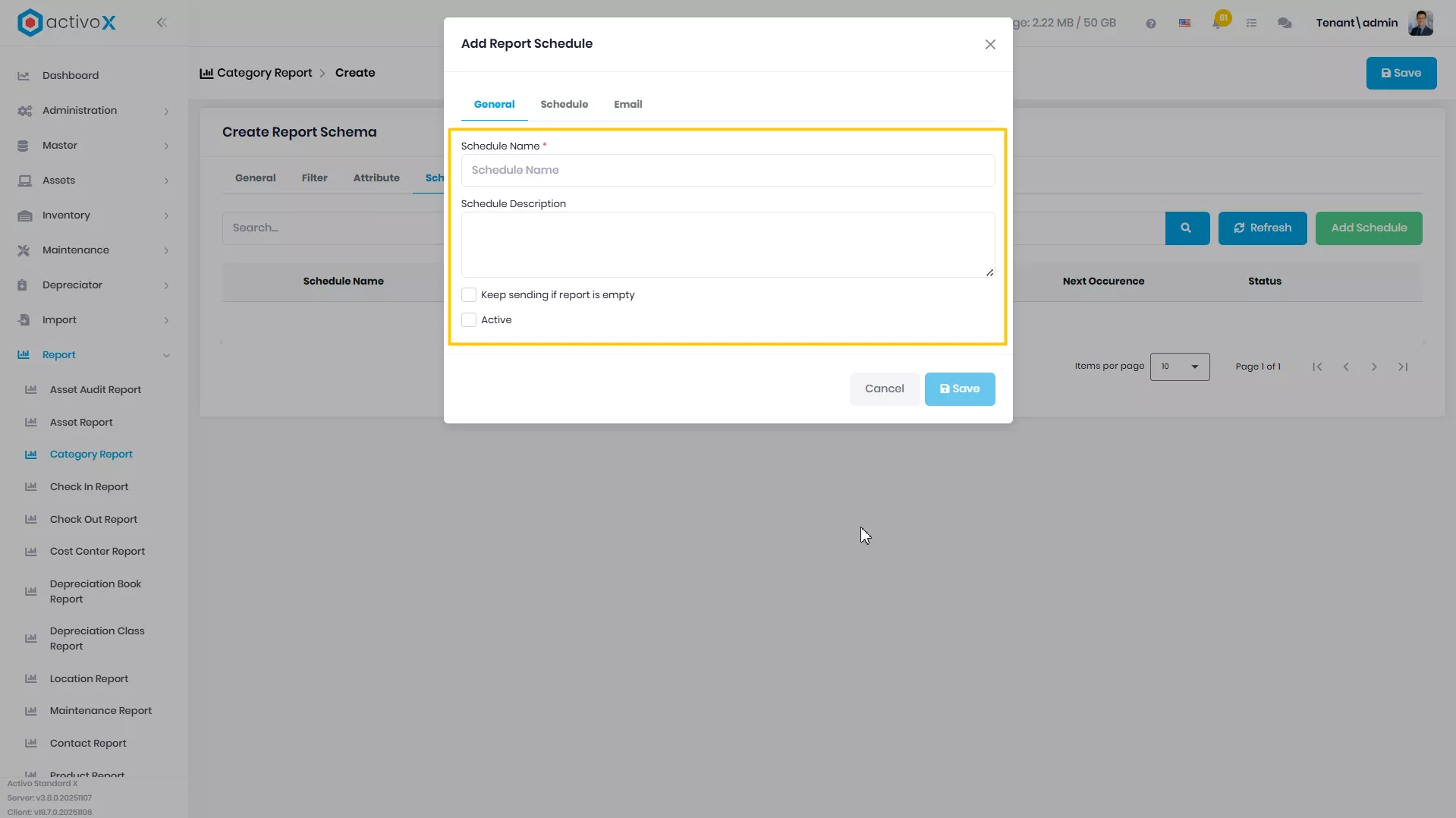
Isi Schedule Name
-
Isi Schedule Description Jika Ada
-
Ceklis Keep sending if report is empty jika tetap ingin menarik report ketika report tersebut kosong
-
Ceklis Active jika ingin mengaktifkan scheduled report ini
-
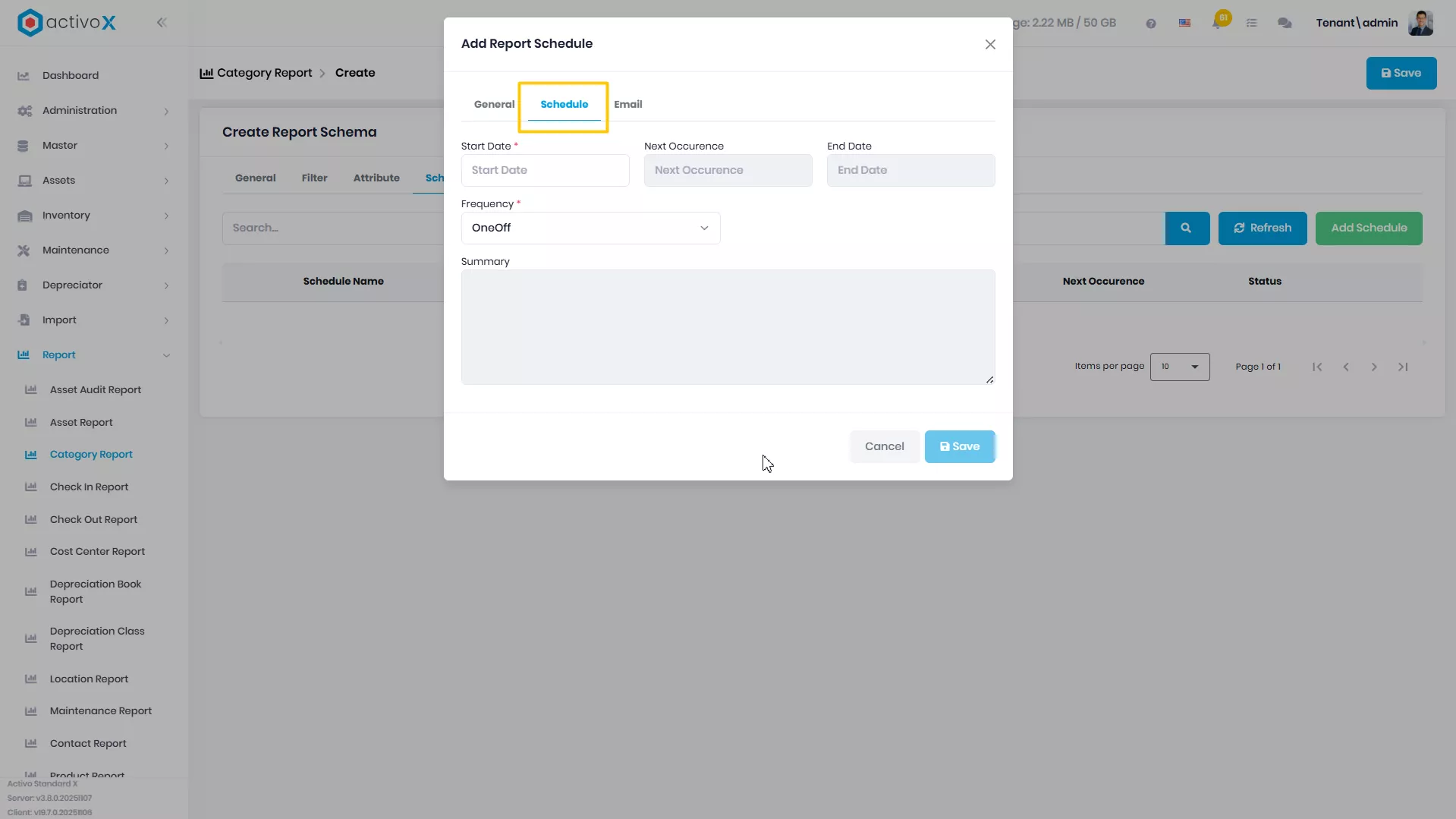
Pilih tab Schedule untuk mengatur penjadwalan report ini
-
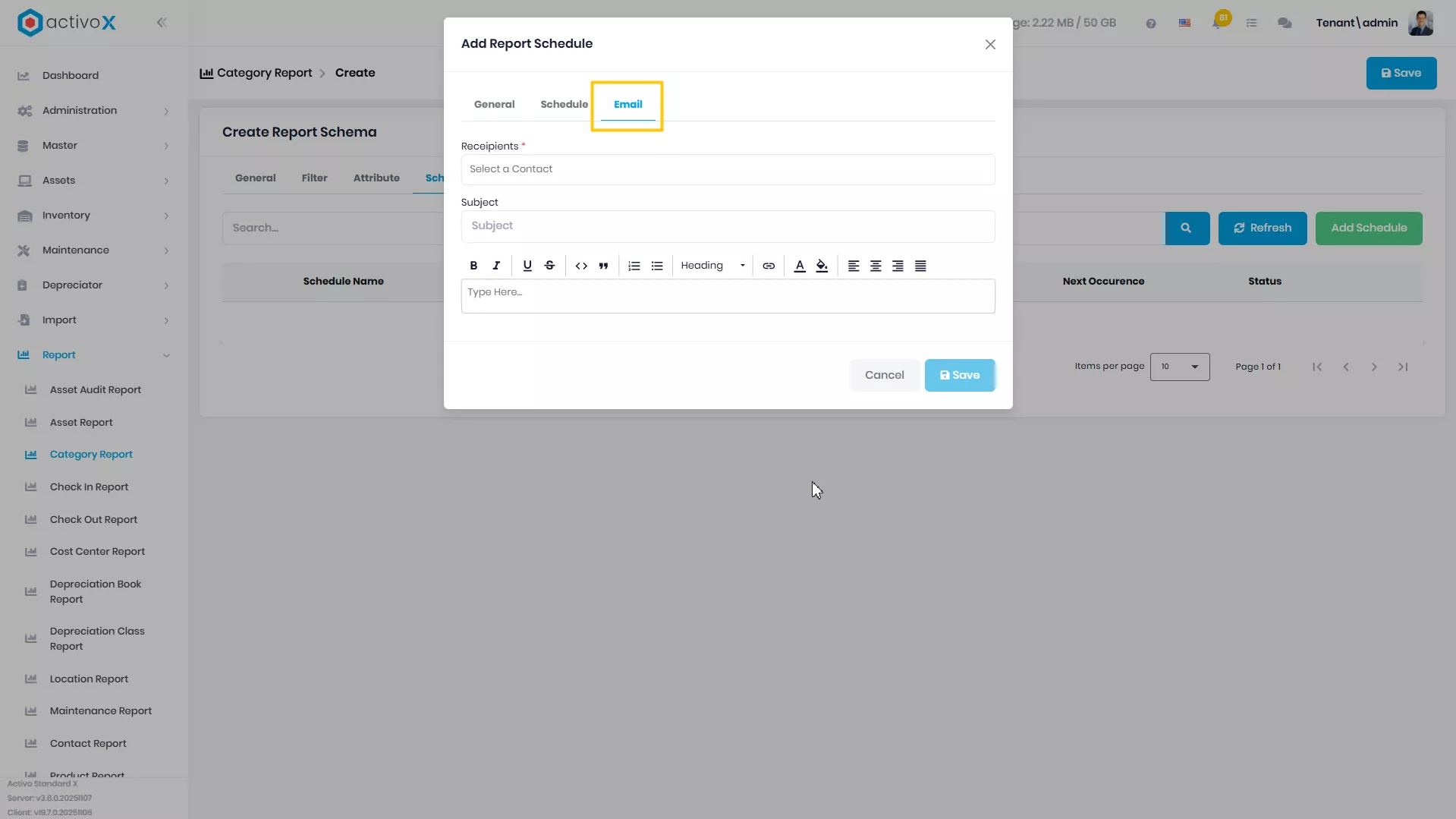
Pilih tab Email untuk mengatur siapa saja yang akan menerima pesan melalui email mengenai report ini
-
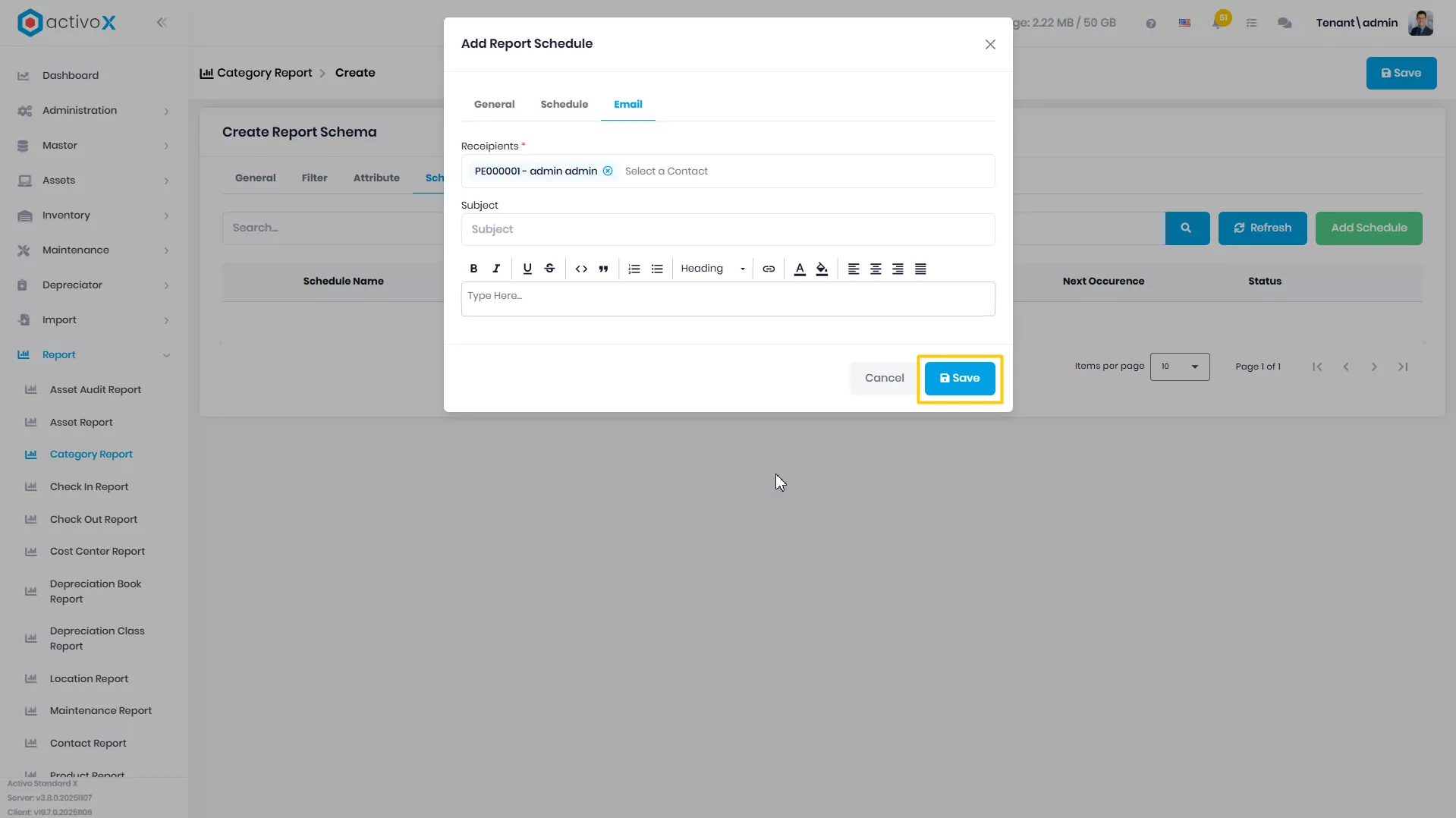
Klik Save untuk menyimpan pengaturan Schedule
-
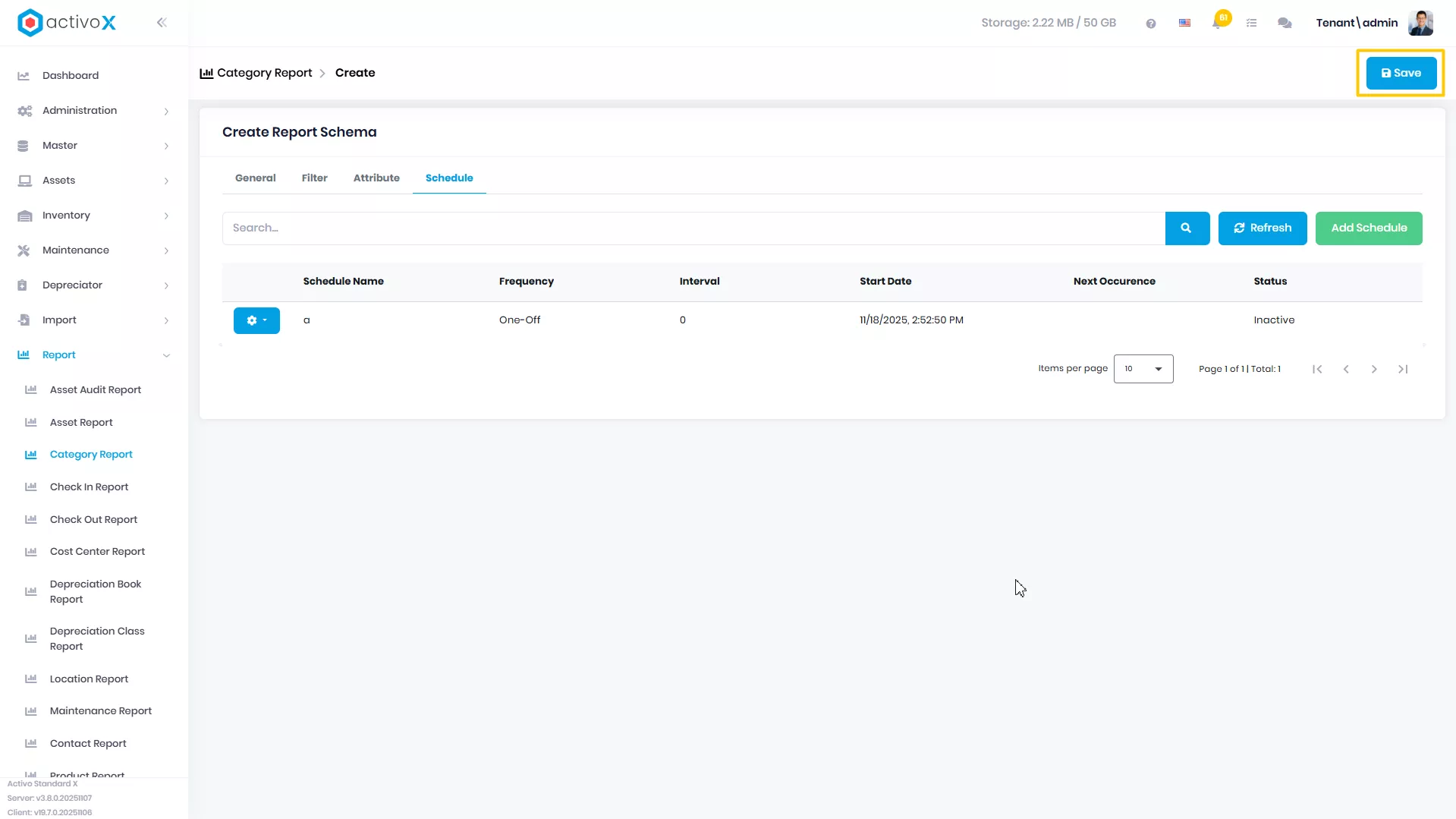
Klik Save
Mengubah Category Report
Anda dapat mengubah detail data Category Report yang telah dibuat pada Activo X.
-
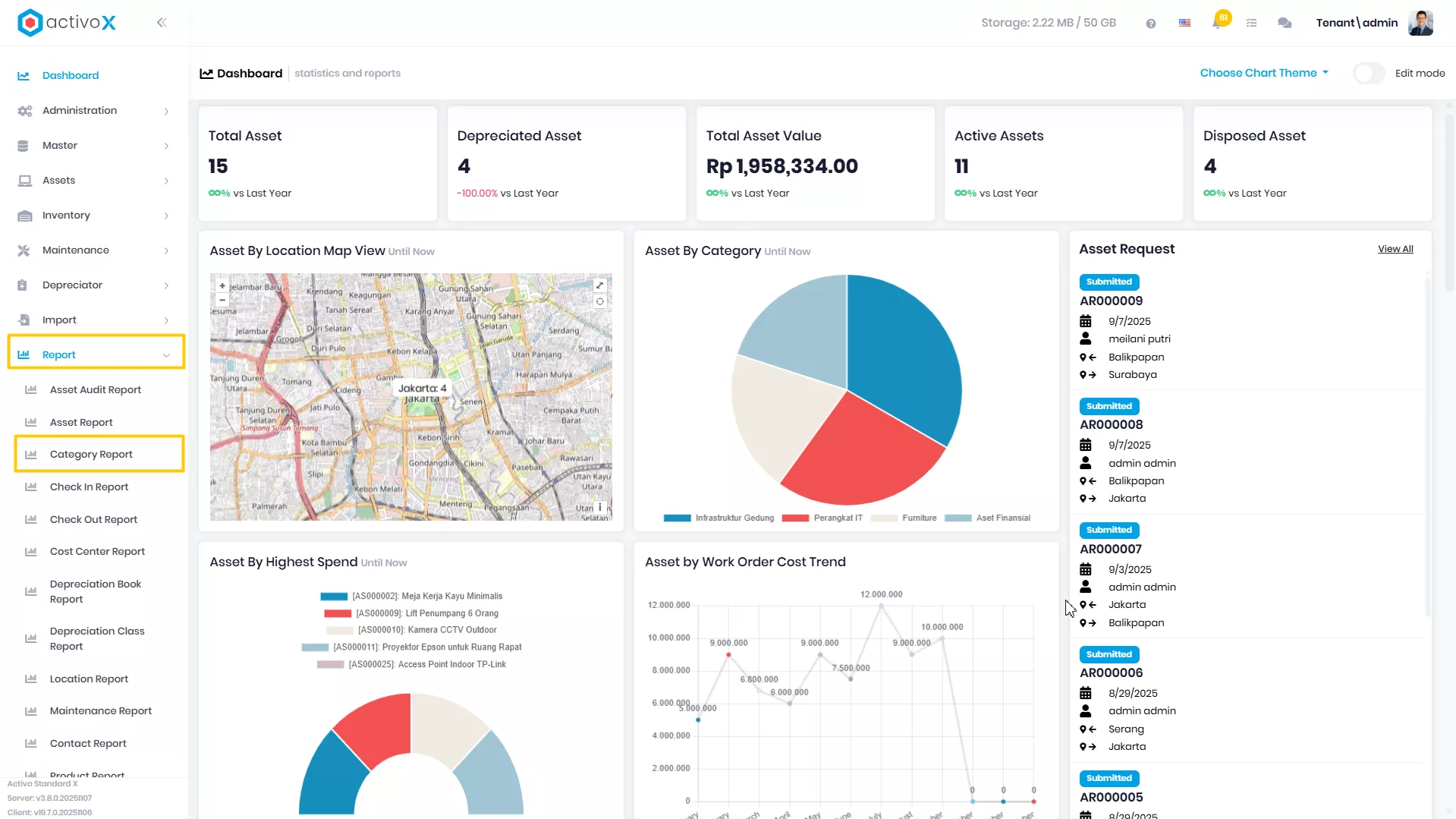
Klik menu Report lalu pilih Category Report.
-
Pilih report yang akan dituju, lalu klik Action
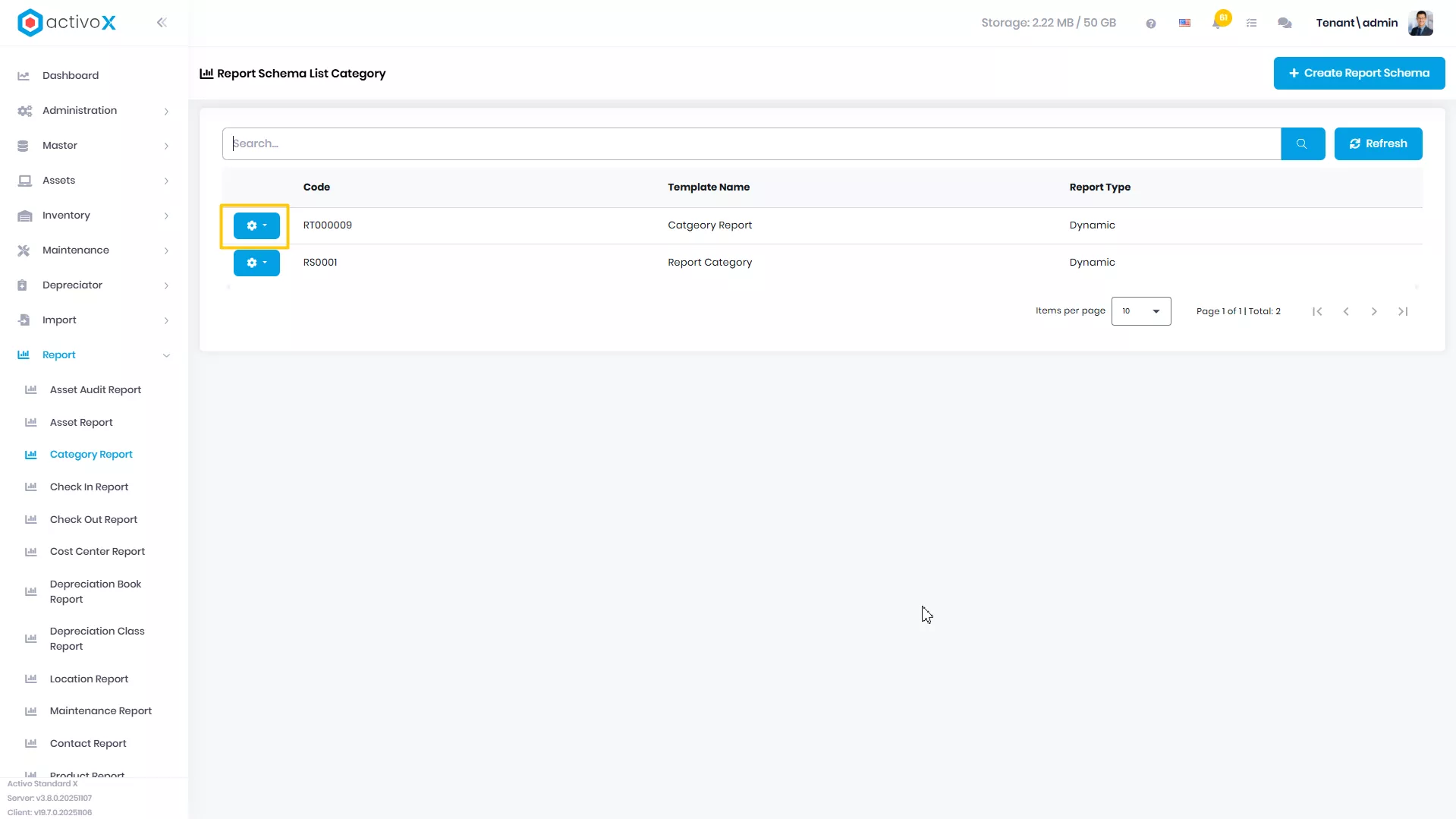
-
Klik View Detail
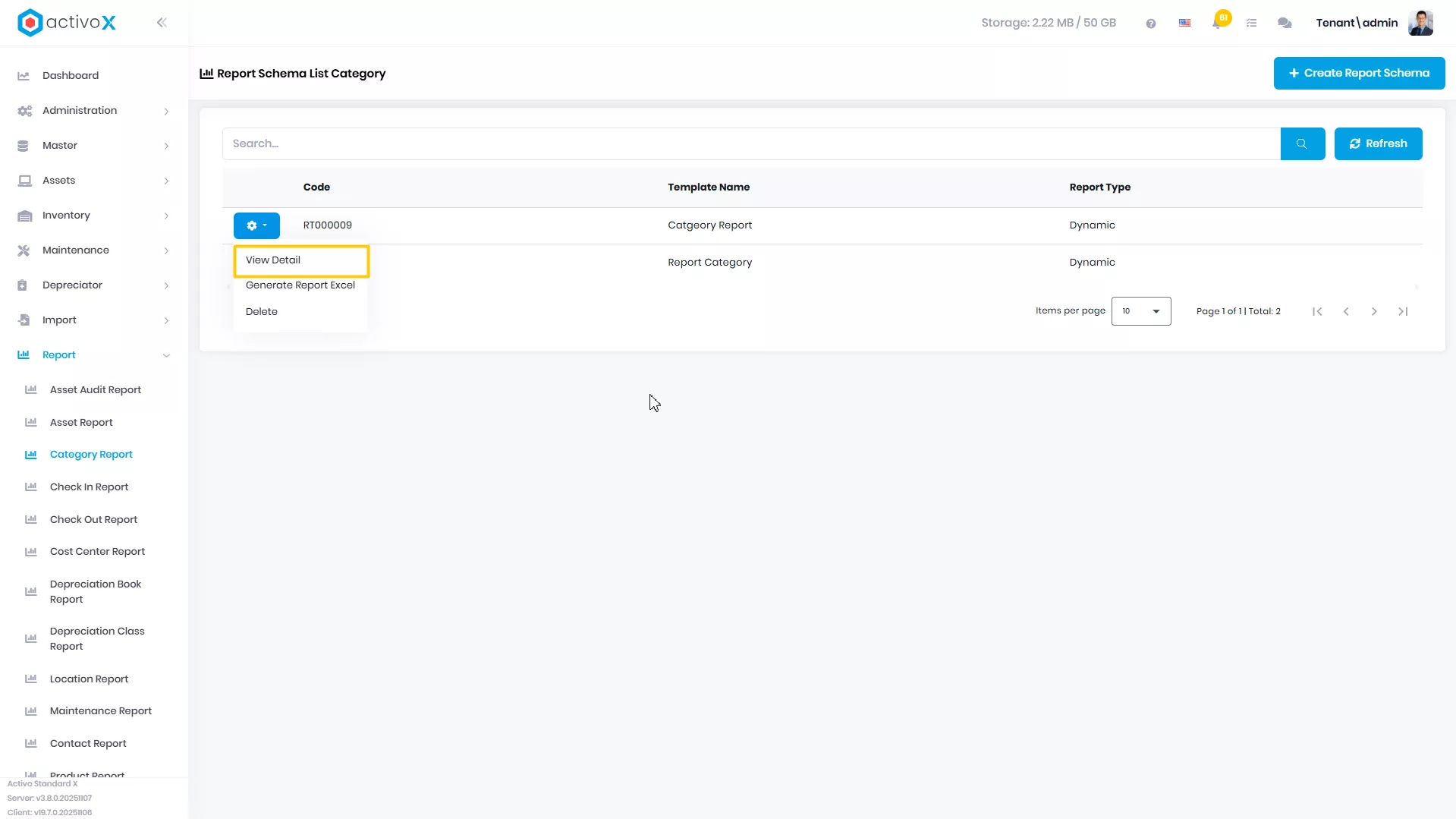
-
Ubah data Report, lalu klik Save
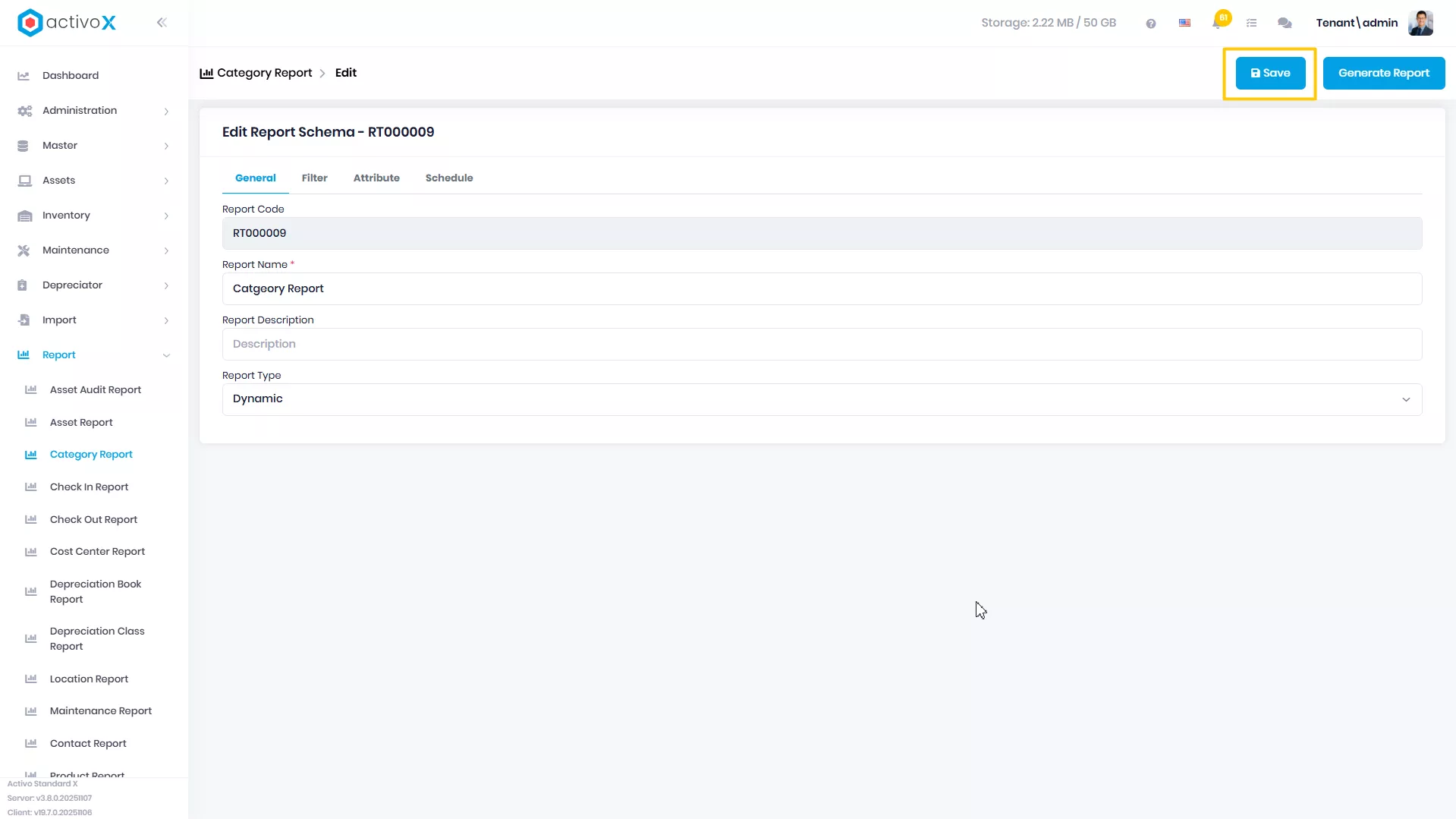
Generate Category Report
Anda dapat mengubah detail data Category Report yang telah dibuat pada Activo X.
-
Klik menu Report lalu pilih Category Report.
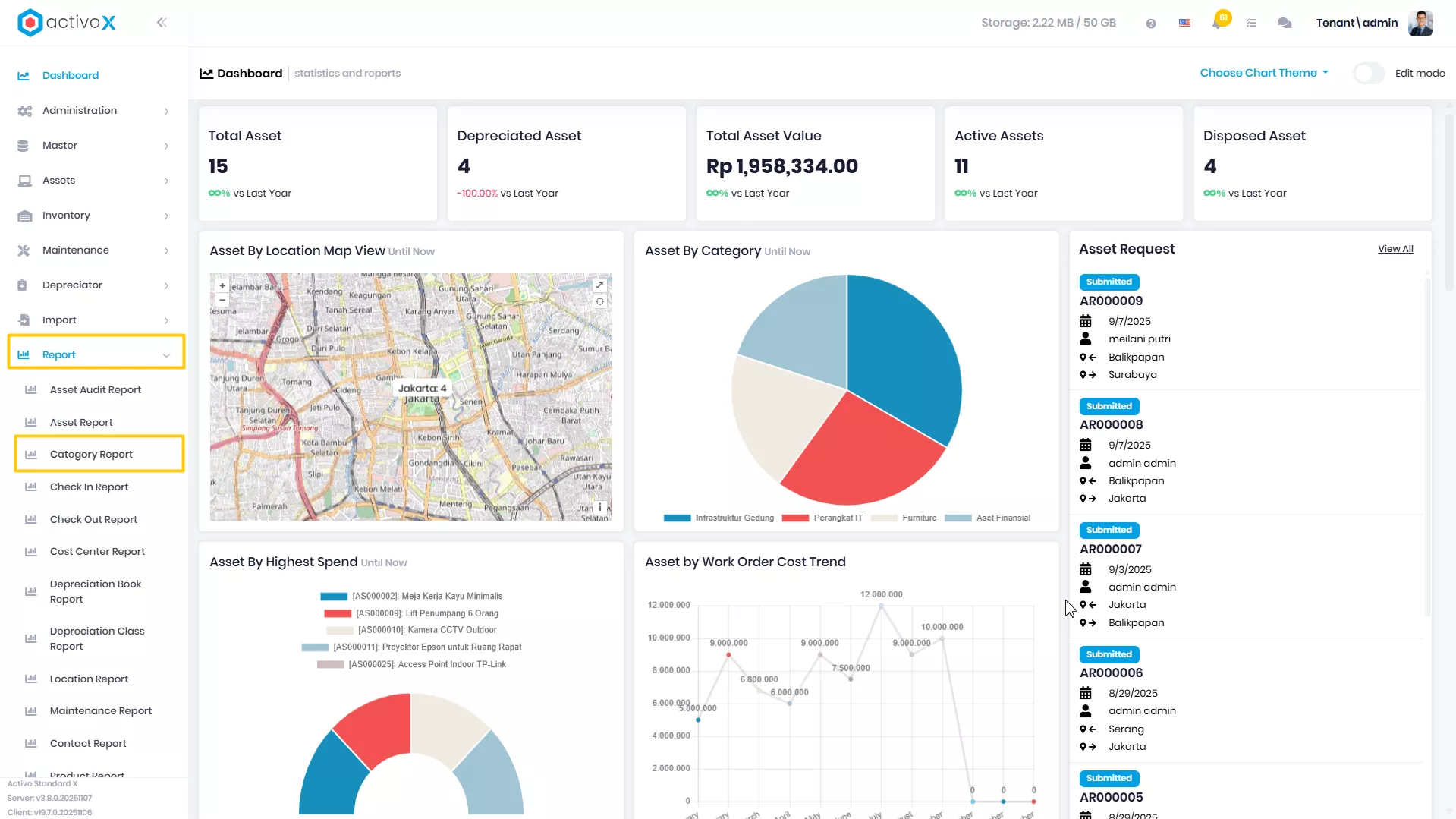
-
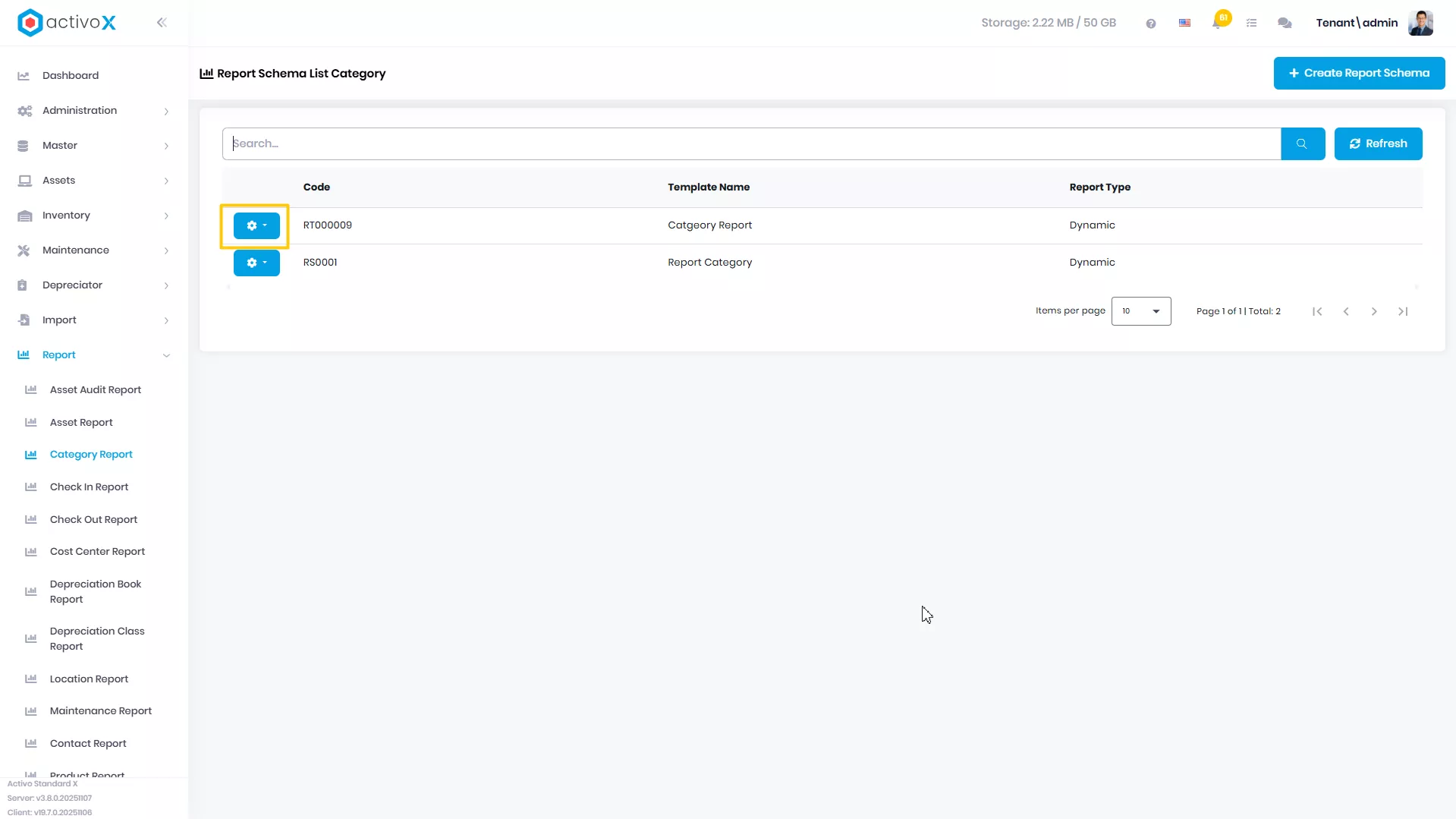
Pilih report yang akan dituju, lalu klik Action
-
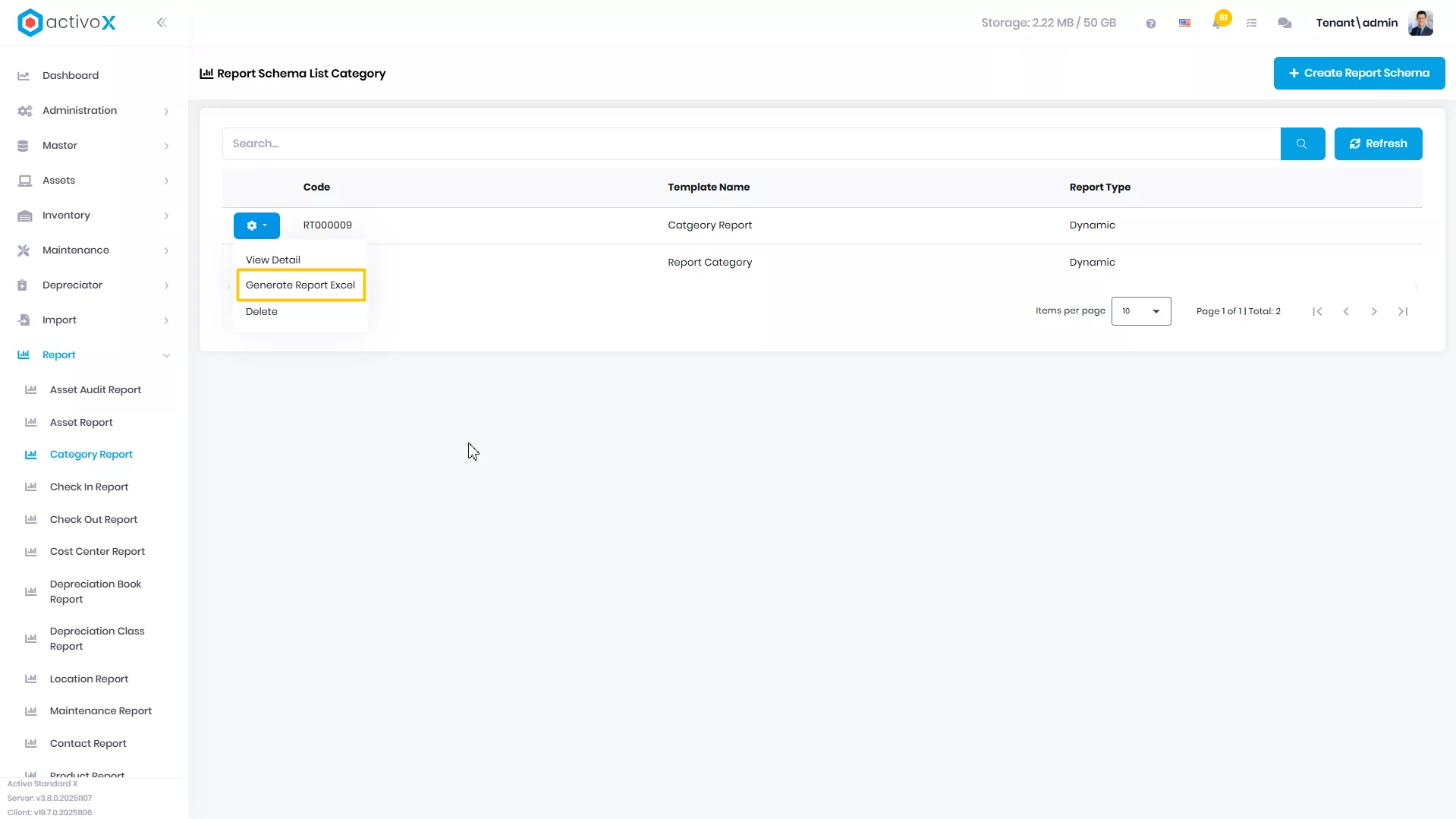
Klik Generate Report Excel
-
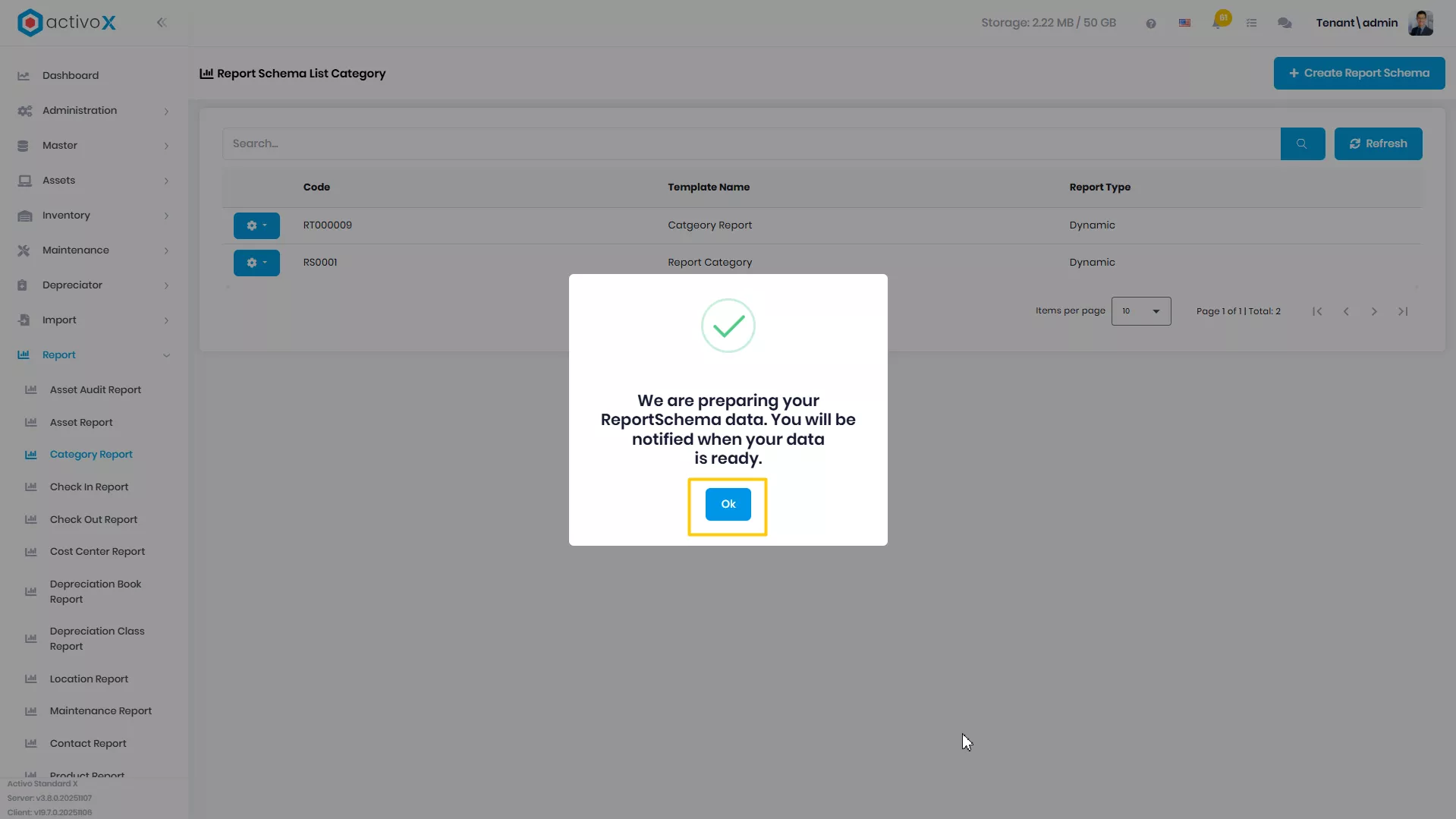
Sistem sedang menyiapkan laporan yang akan diunduh
-
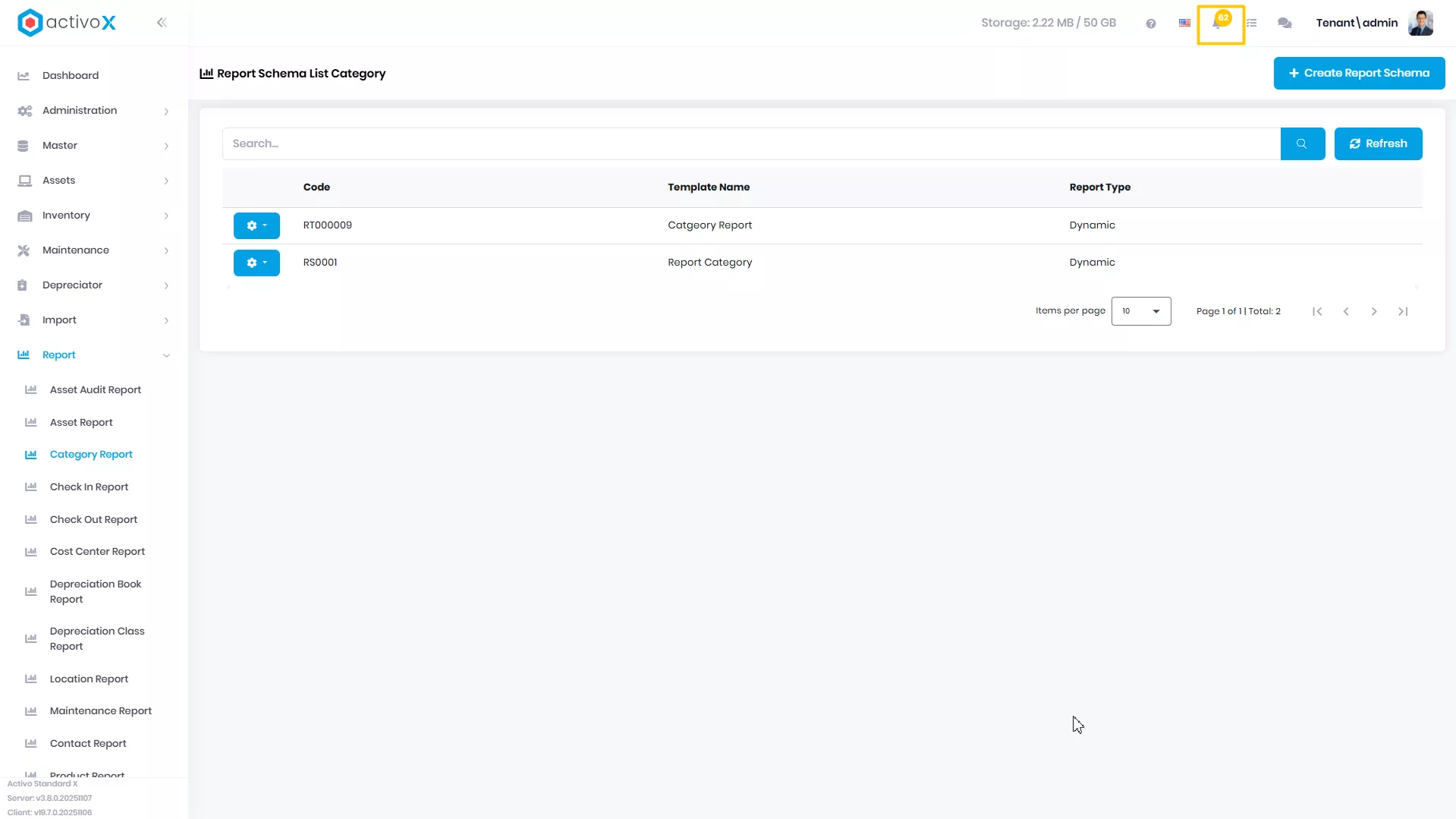
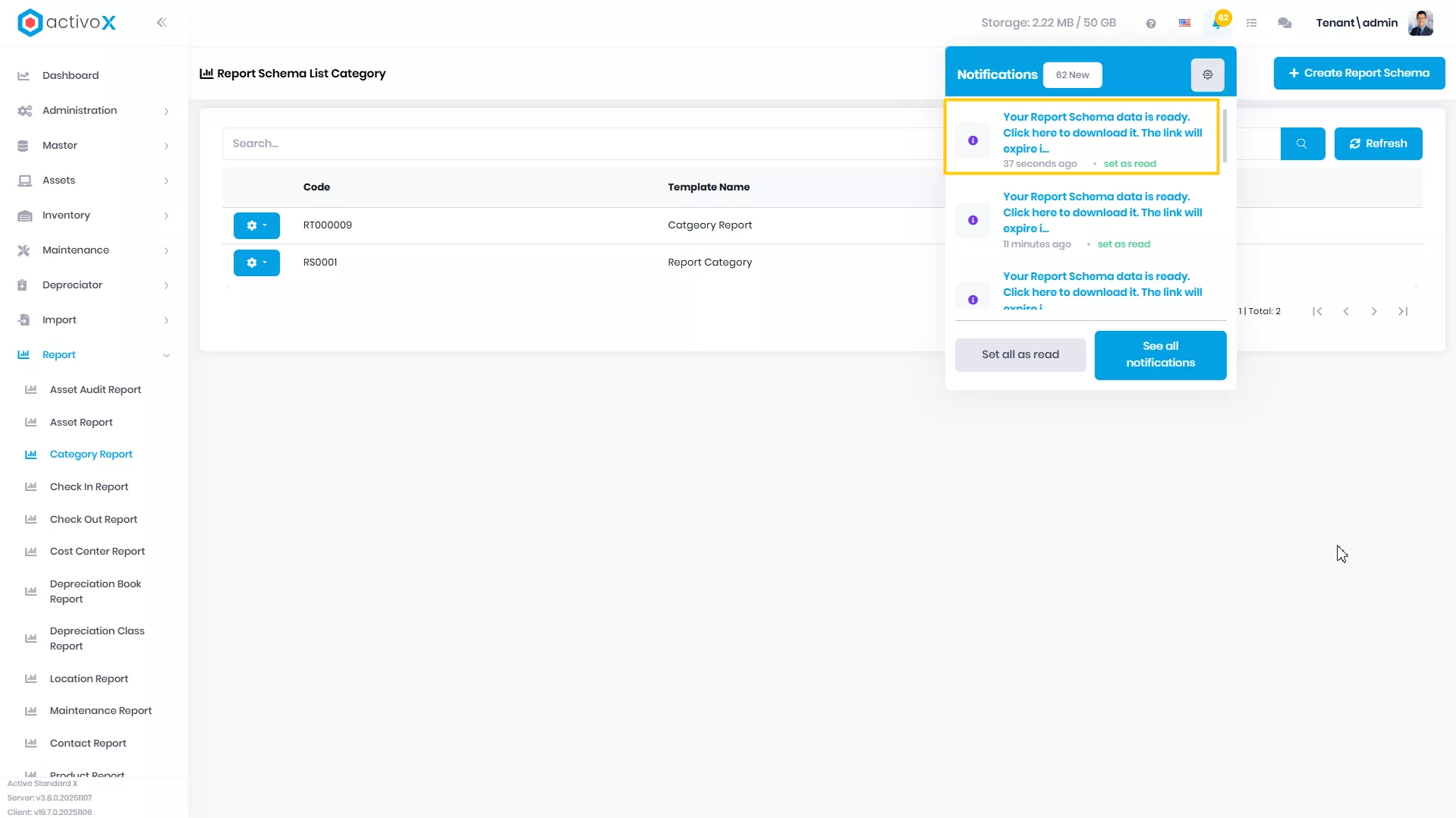
Buka icon Notification
-
Klik pada notifikasi yang berisi file ekspor untuk data Report Schema
Menghapus Category Report
Anda dapat menghapus Category Report yang sudah dibuat pada Activo X.
-
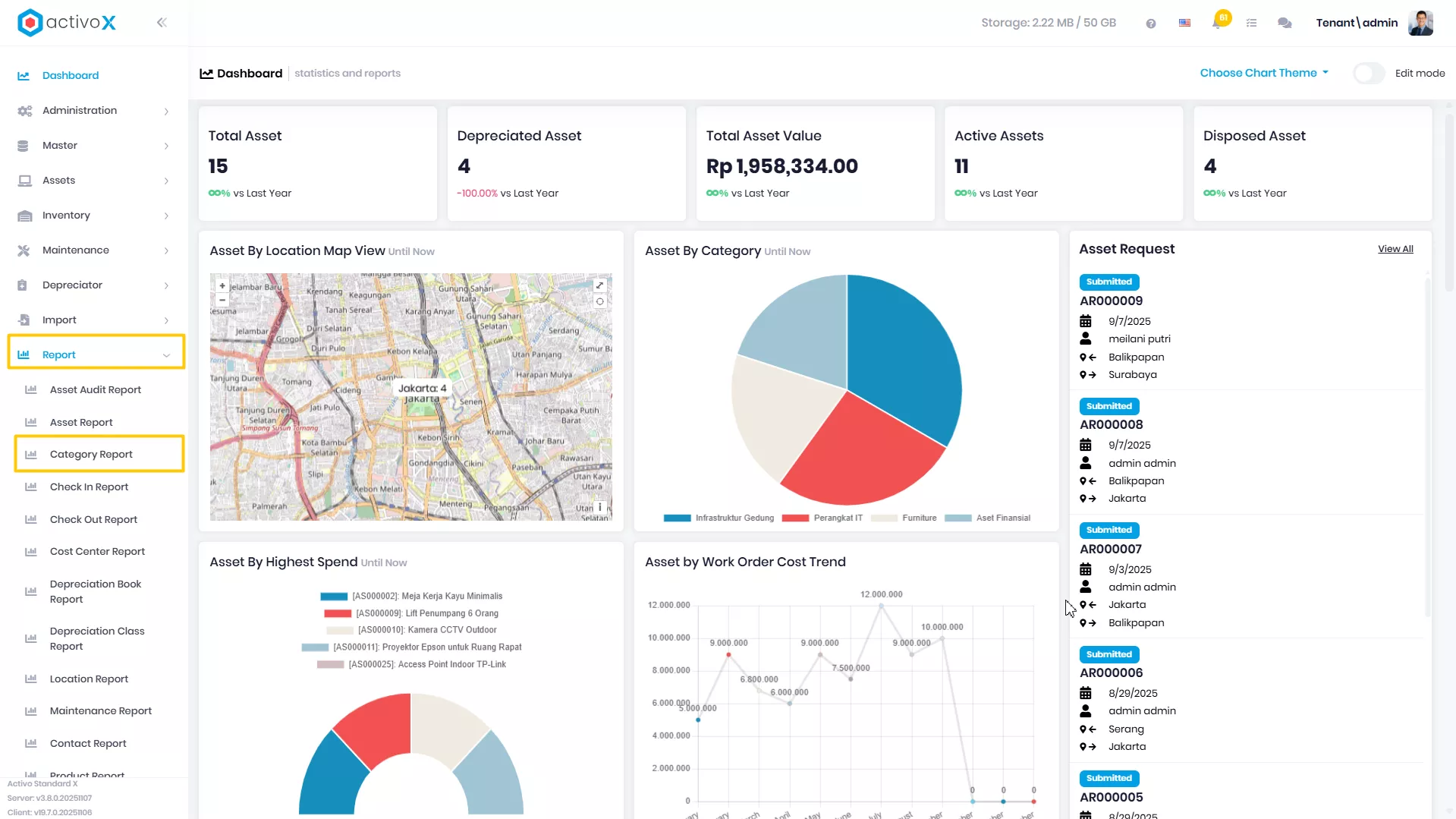
Klik menu Report lalu pilih Category Report.
-
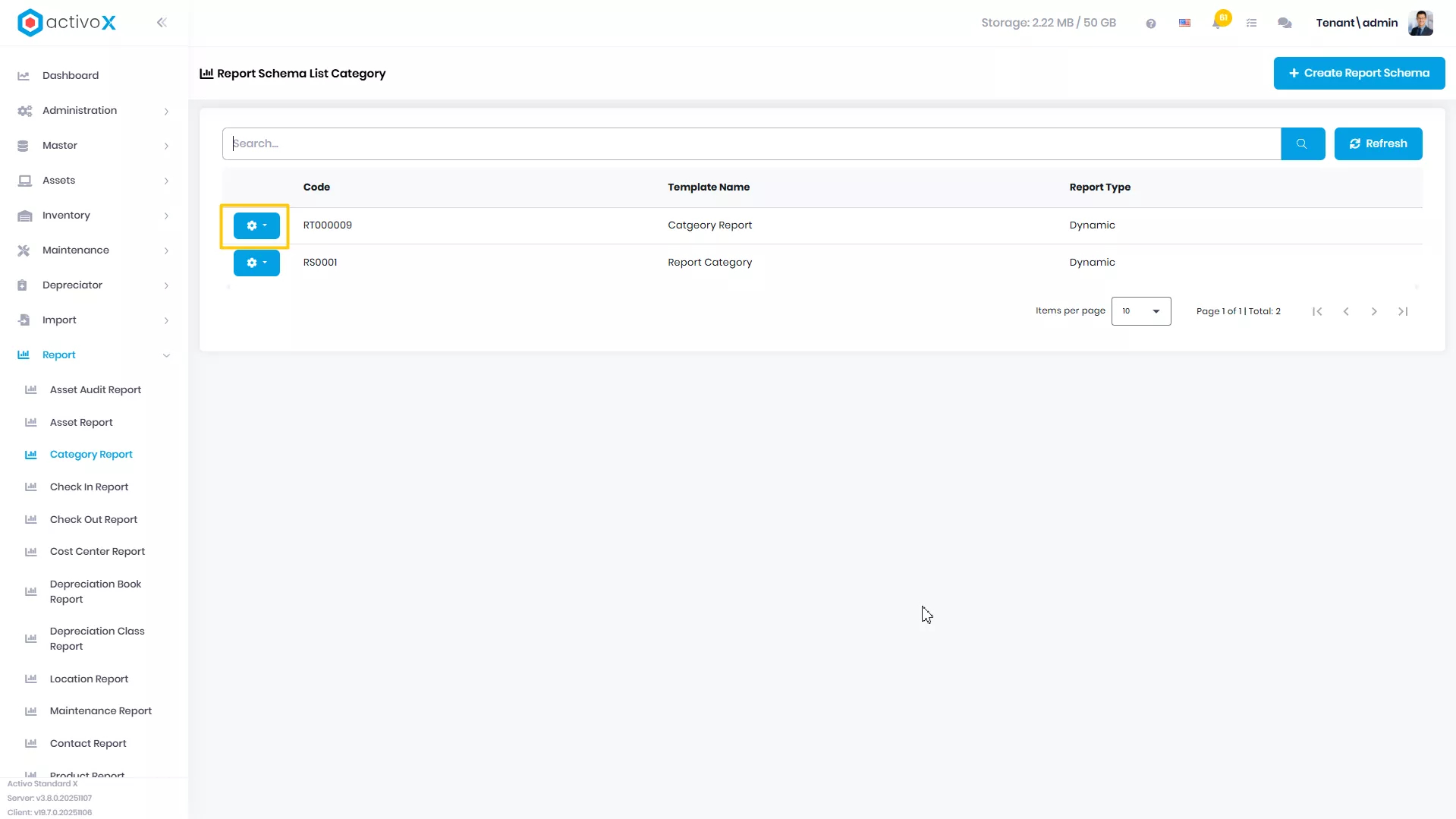
Pilih report yang akan dituju, lalu klik Action
-
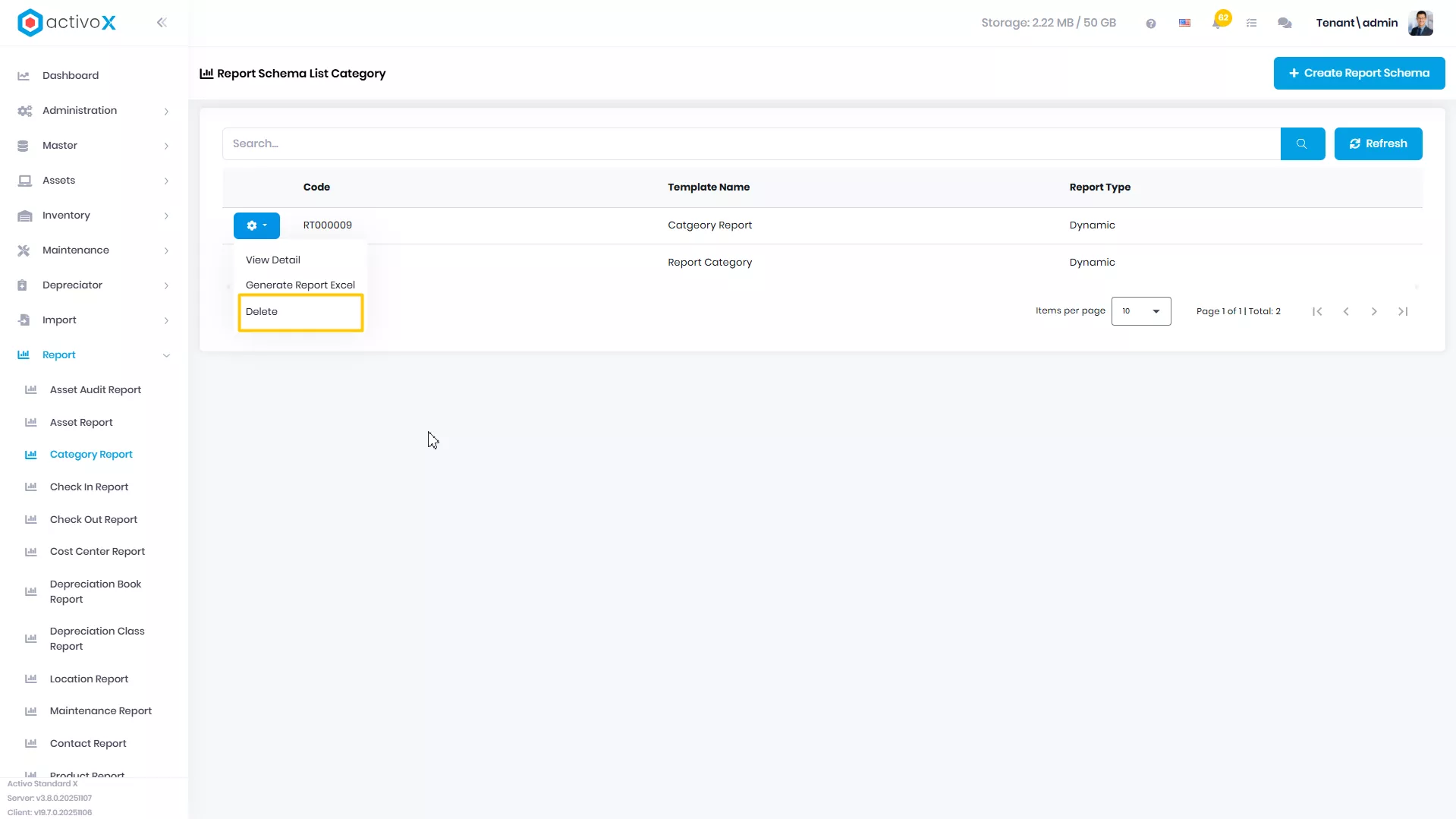
Klik Delete
-
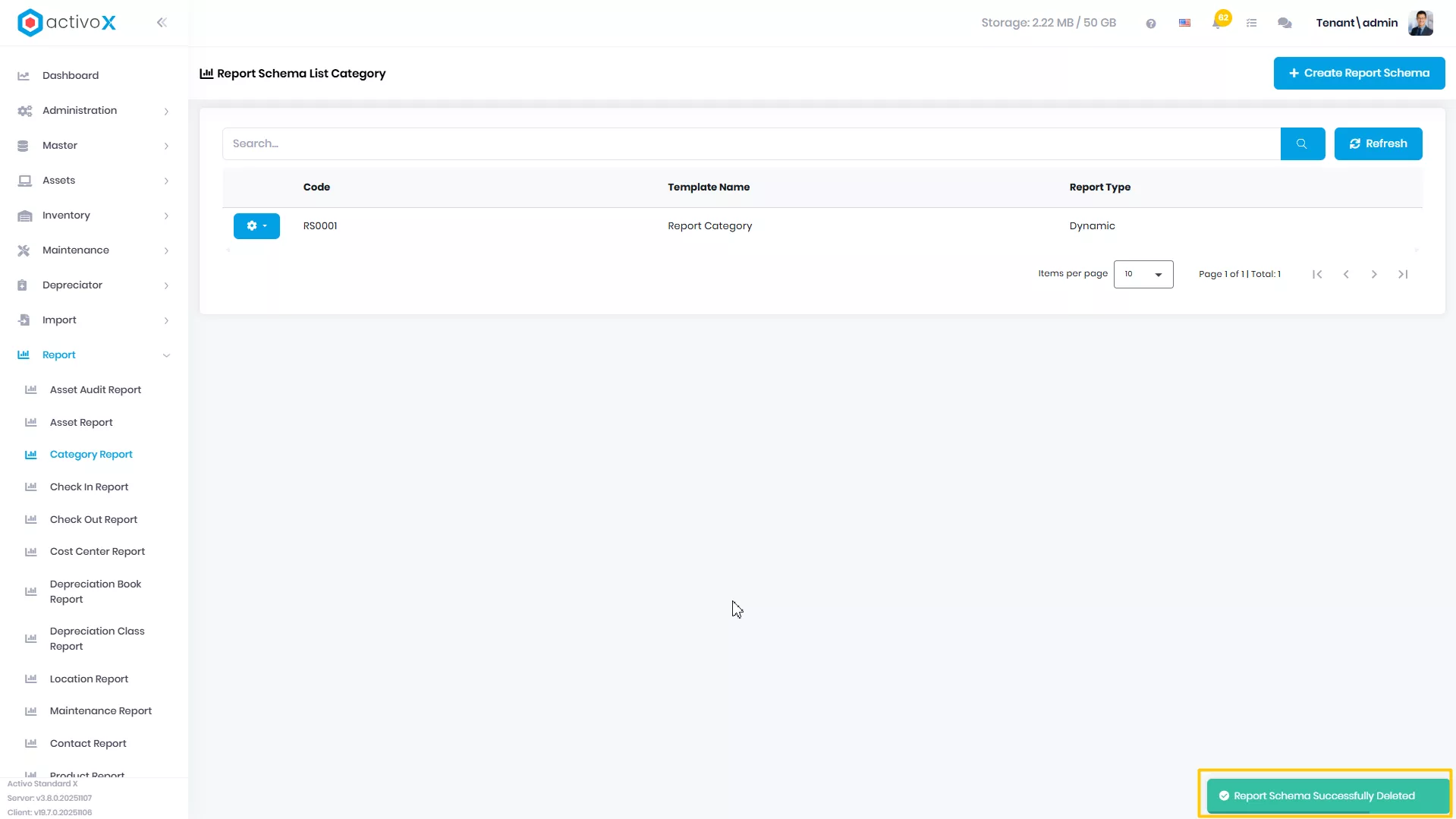
Report Anda berhasil di hapus