Stock In Report
Anda dapat membuat laporan pengguna Stock In Report untuk catatan hasil manajemen data Asset pada Activo X.
Membuat Stock In Report
Anda dapat membuat Stock In Report baru pada Activo X.
-
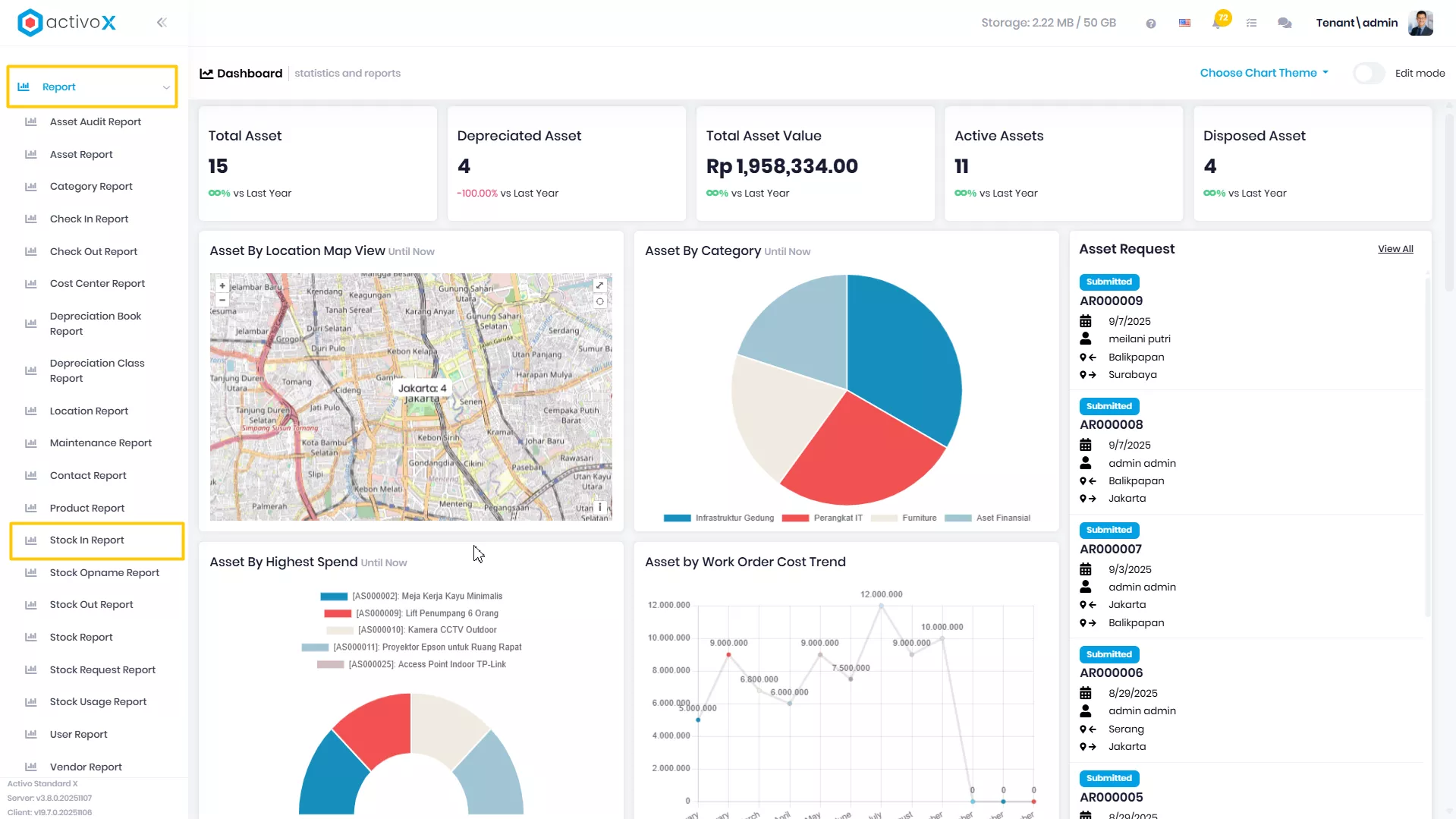
Klik menu Report lalu pilih Stock In Report.
-
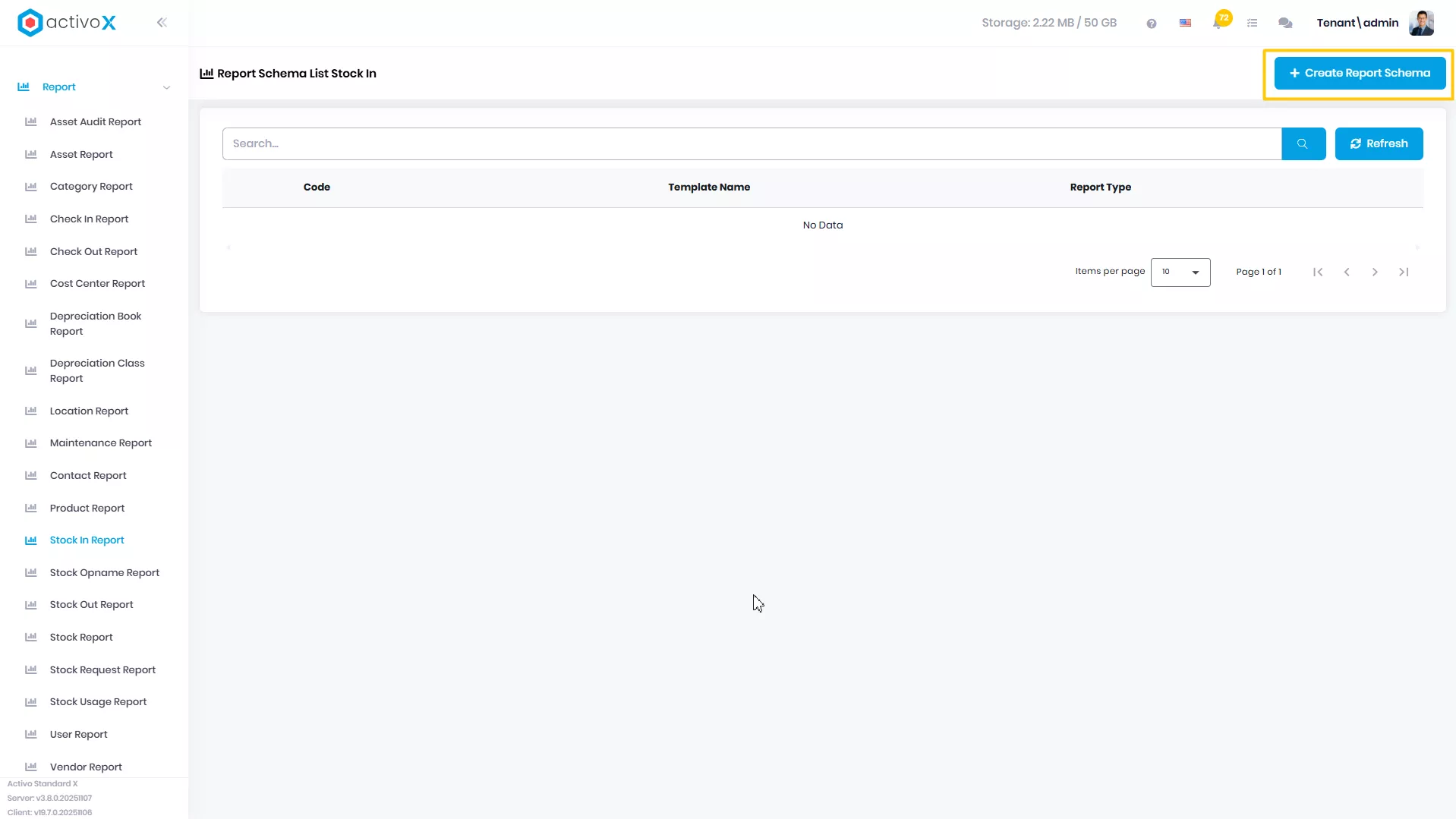
Klik Create Report Schema
-
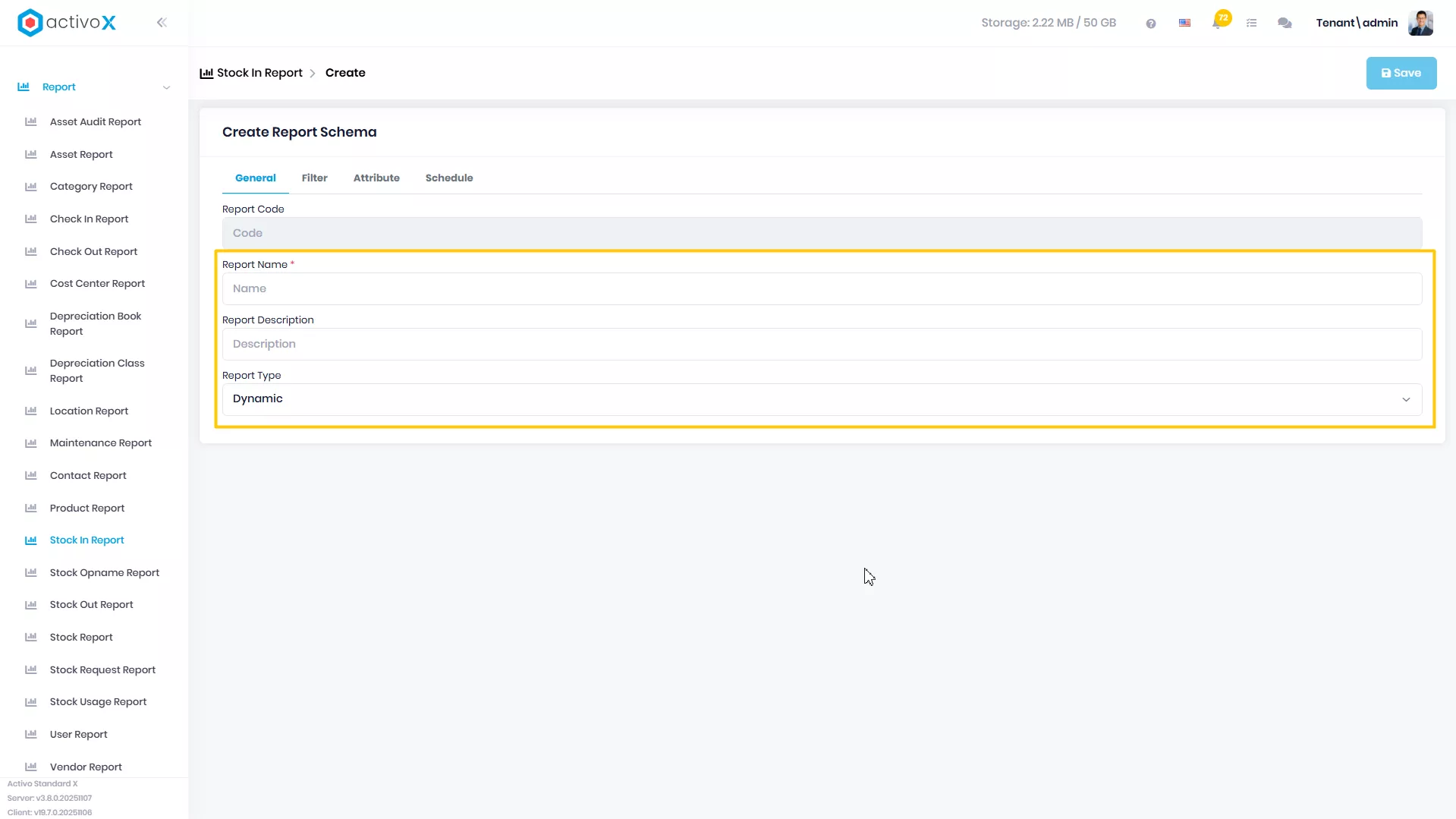
Isi Report Name
-
Isi Report Description
-
Pilih Report Type
-
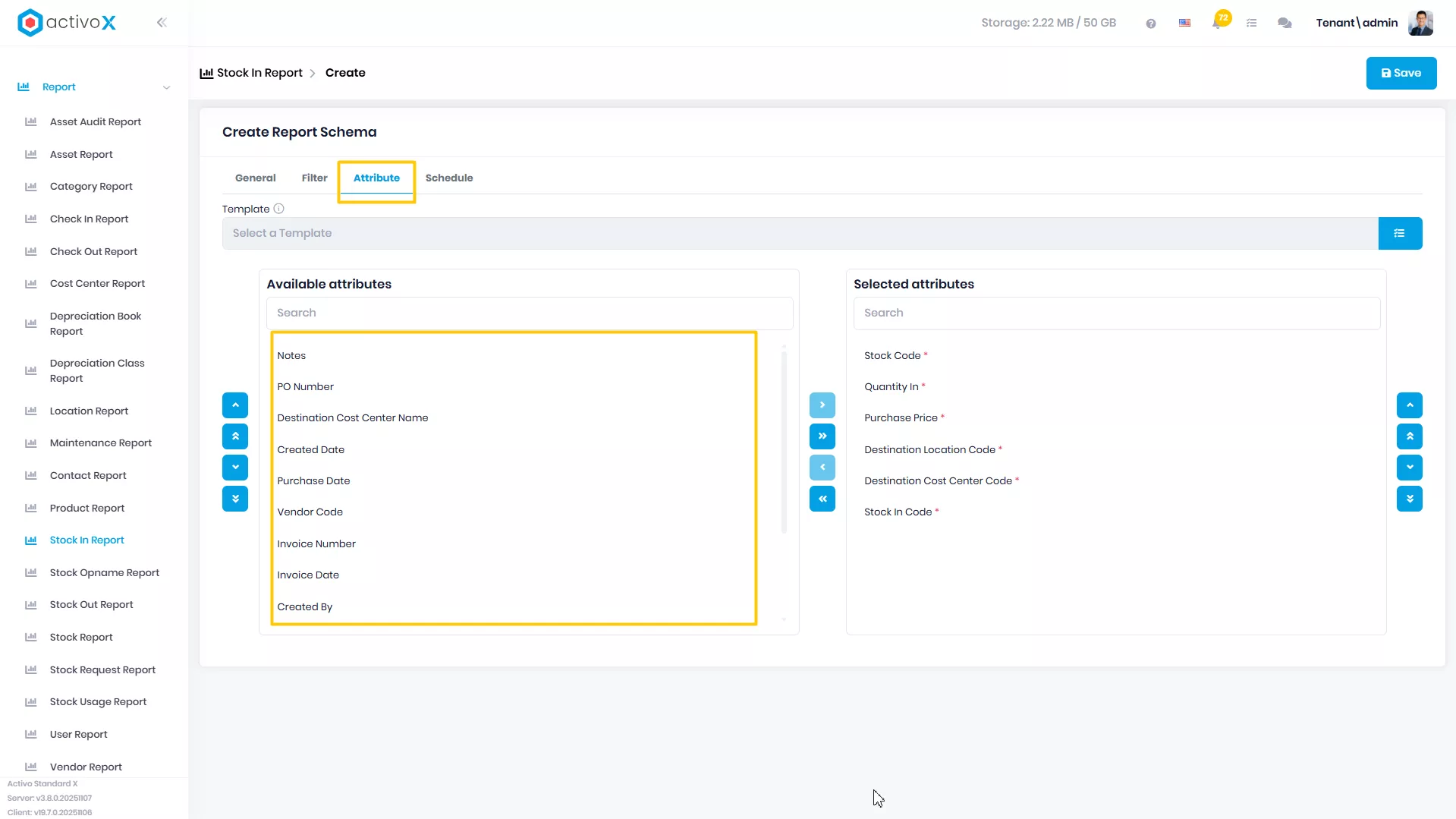
Klik tab Attributes
-
Pindahkan attribute yang ada di Available Attributes ke Selected Attributes
-
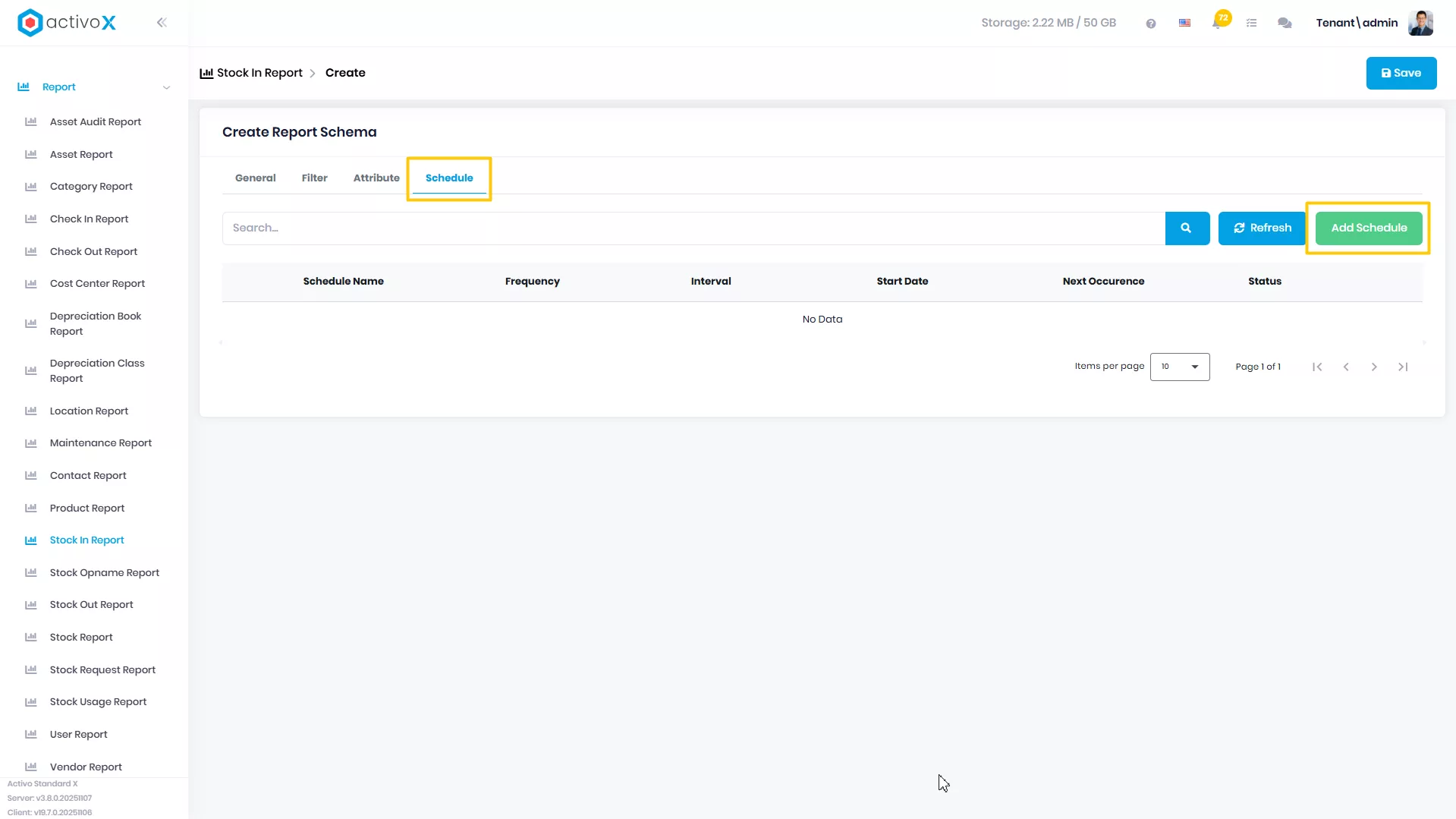
Klik tab Scheduled jika ingin membuat report terjadwal
-
Klik button Add Schedule
-
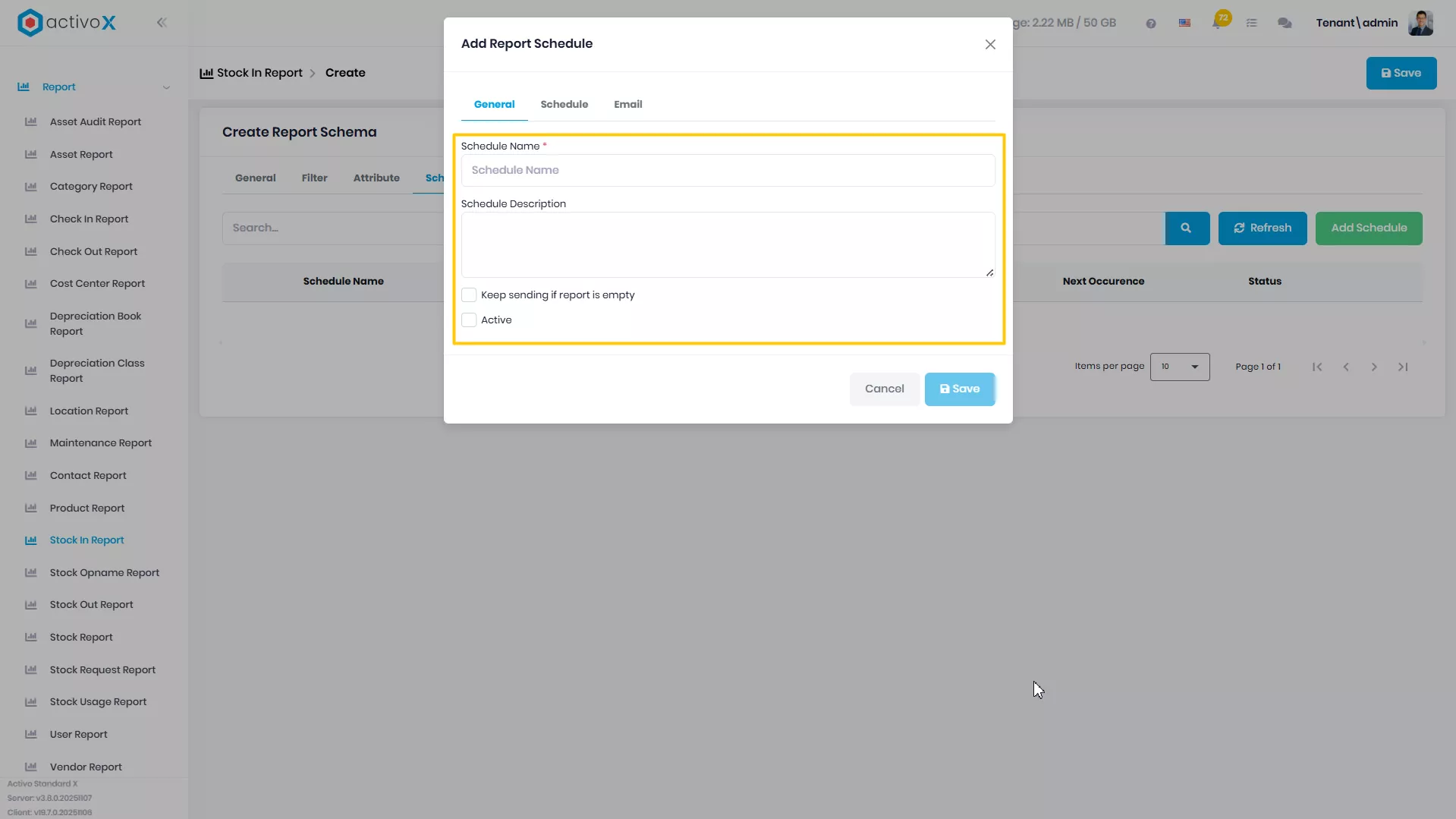
Isi Schedule Name
-
Isi Schedule Description Jika Ada
-
Ceklis Keep sending if report is empty jika tetap ingin menarik report ketika report tersebut kosong
-
Ceklis Active jika ingin mengaktifkan scheduled report ini
-
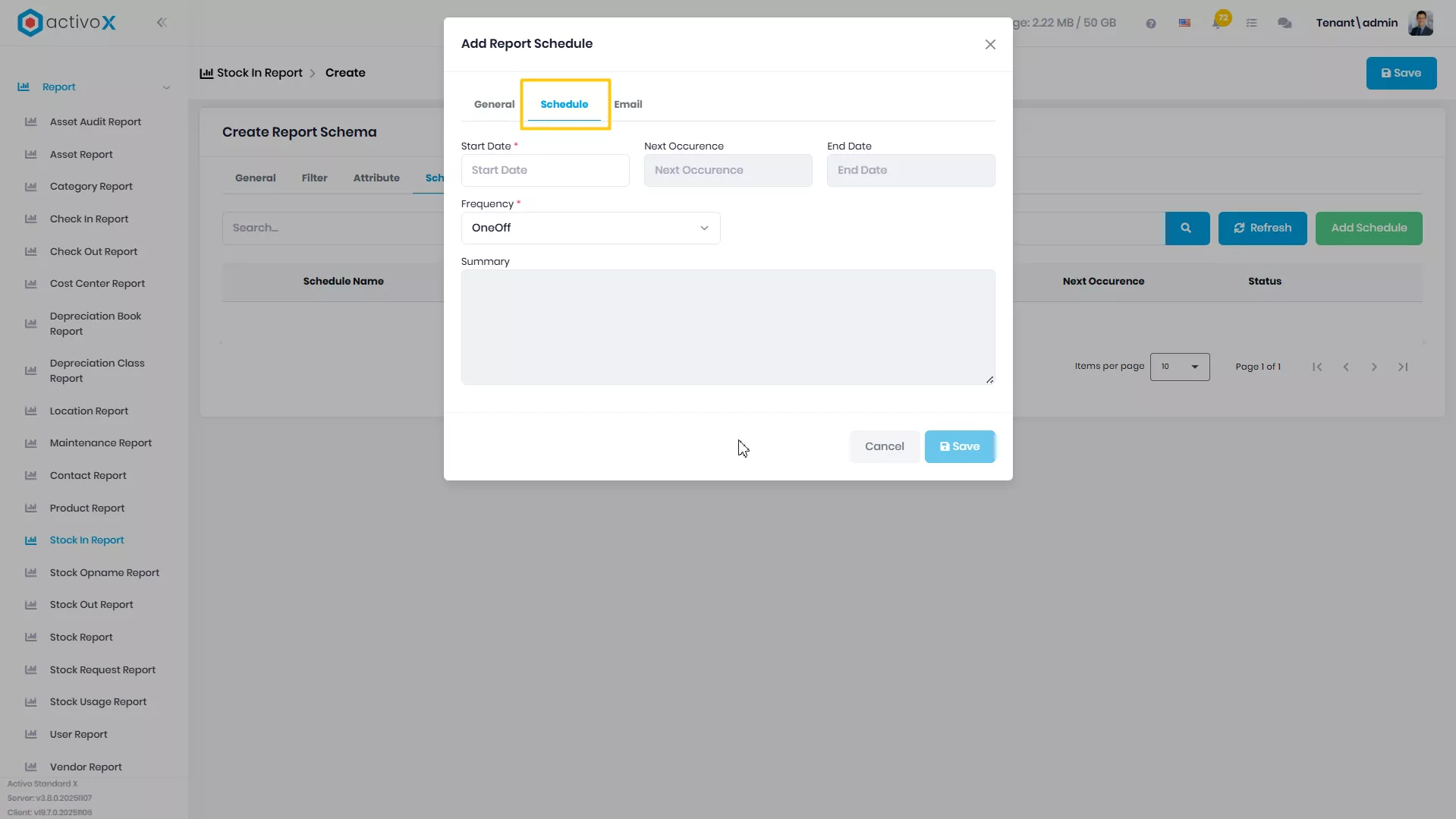
Pilih tab Schedule untuk mengatur penjadwalan report ini
-
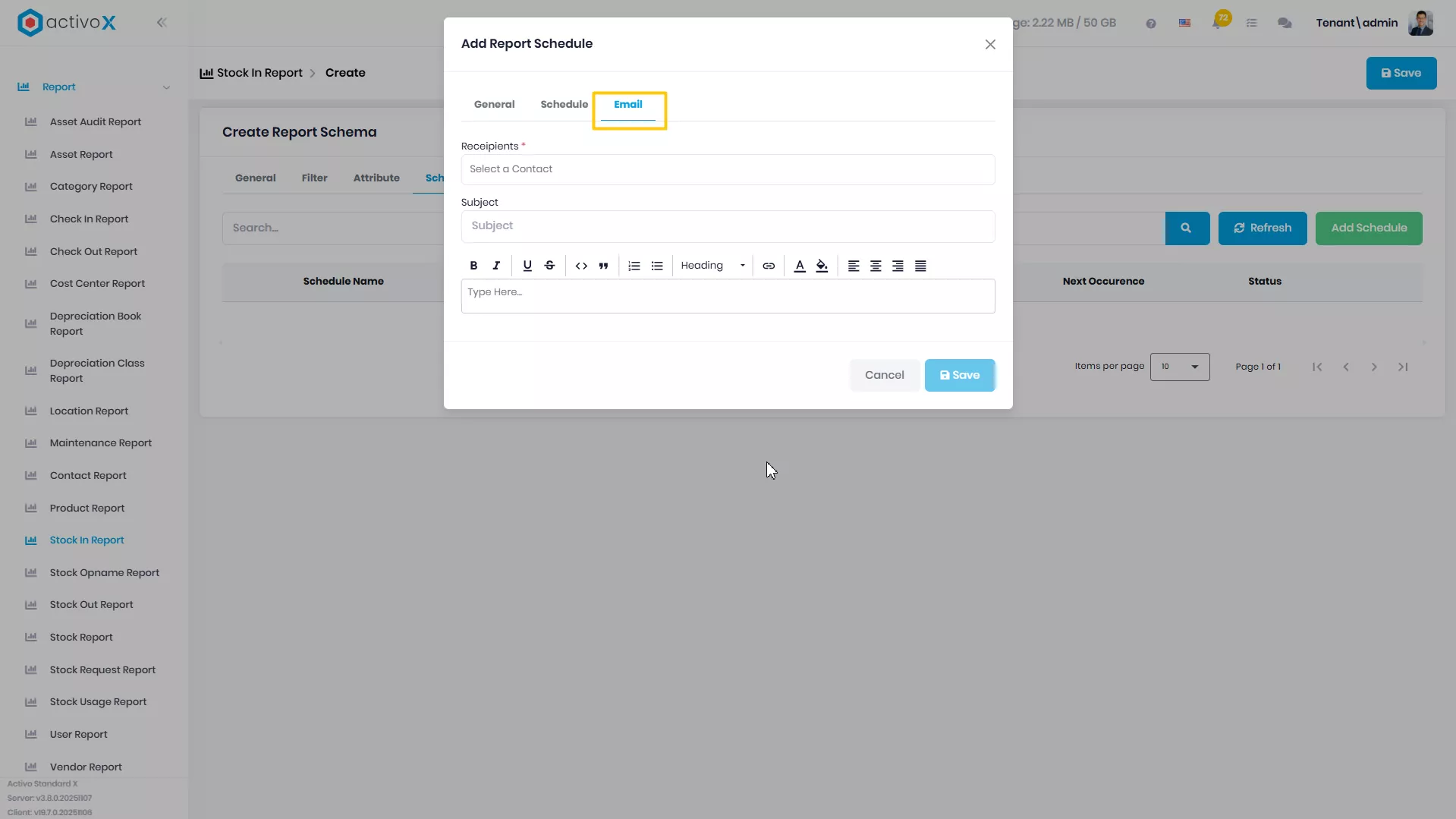
Pilih tab Email untuk mengatur siapa saja yang akan menerima pesan melalui email mengenai report ini
-
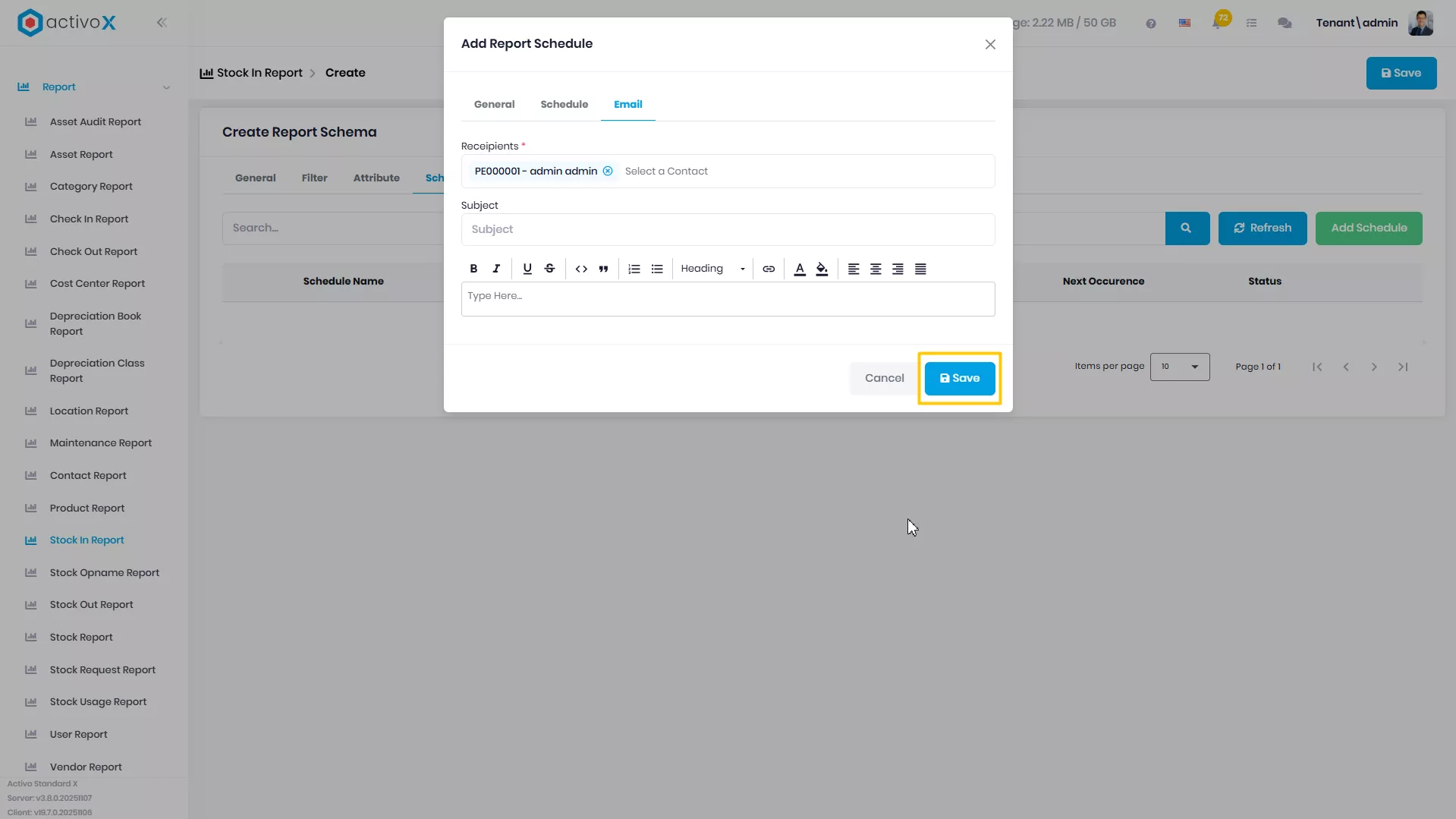
Klik Save untuk menyimpan pengaturan Schedule
-
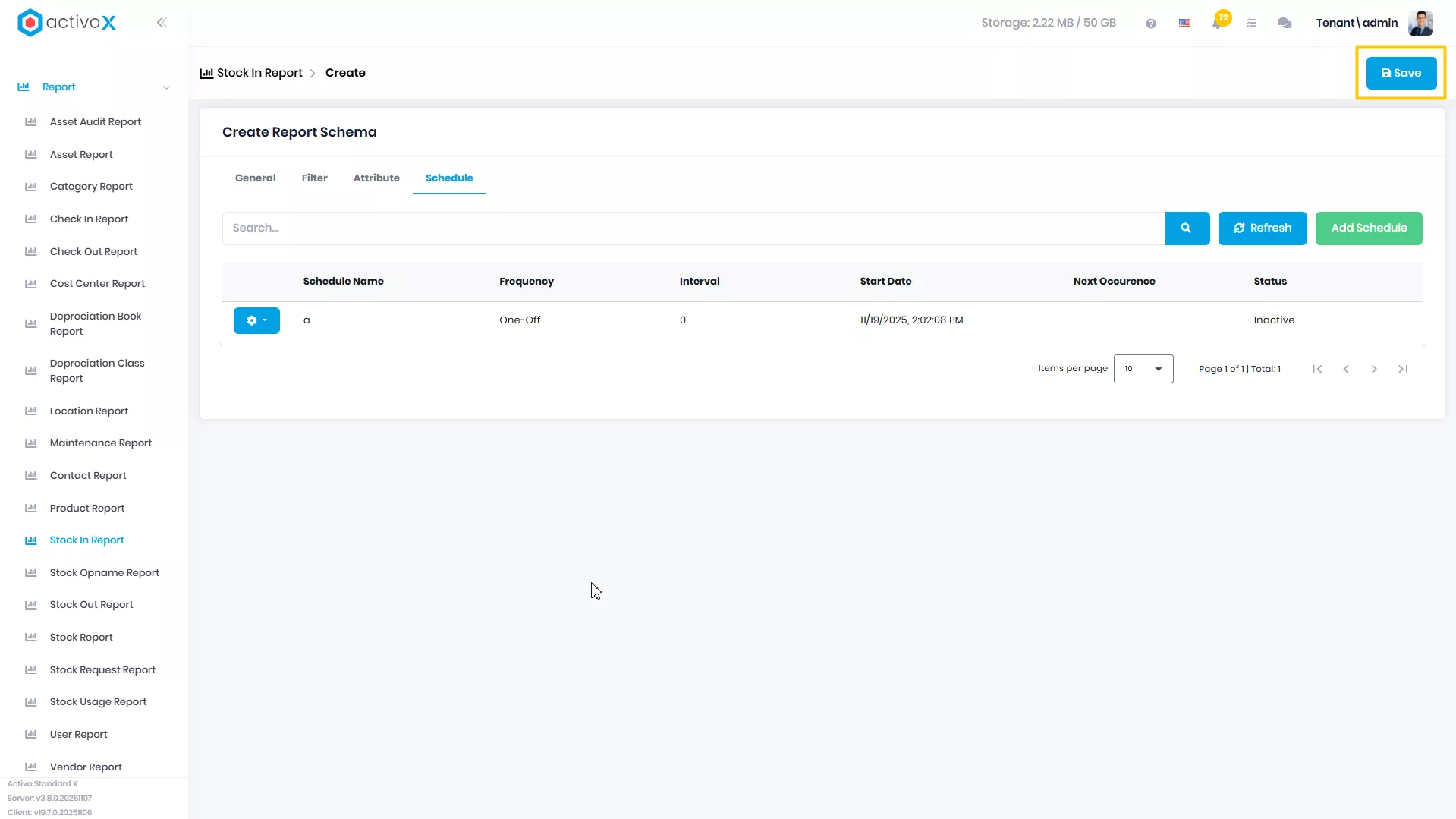
Klik Save
Mengubah Report
Anda dapat mengubah detail data Stock In Report yang telah dibuat pada Activo X.
-
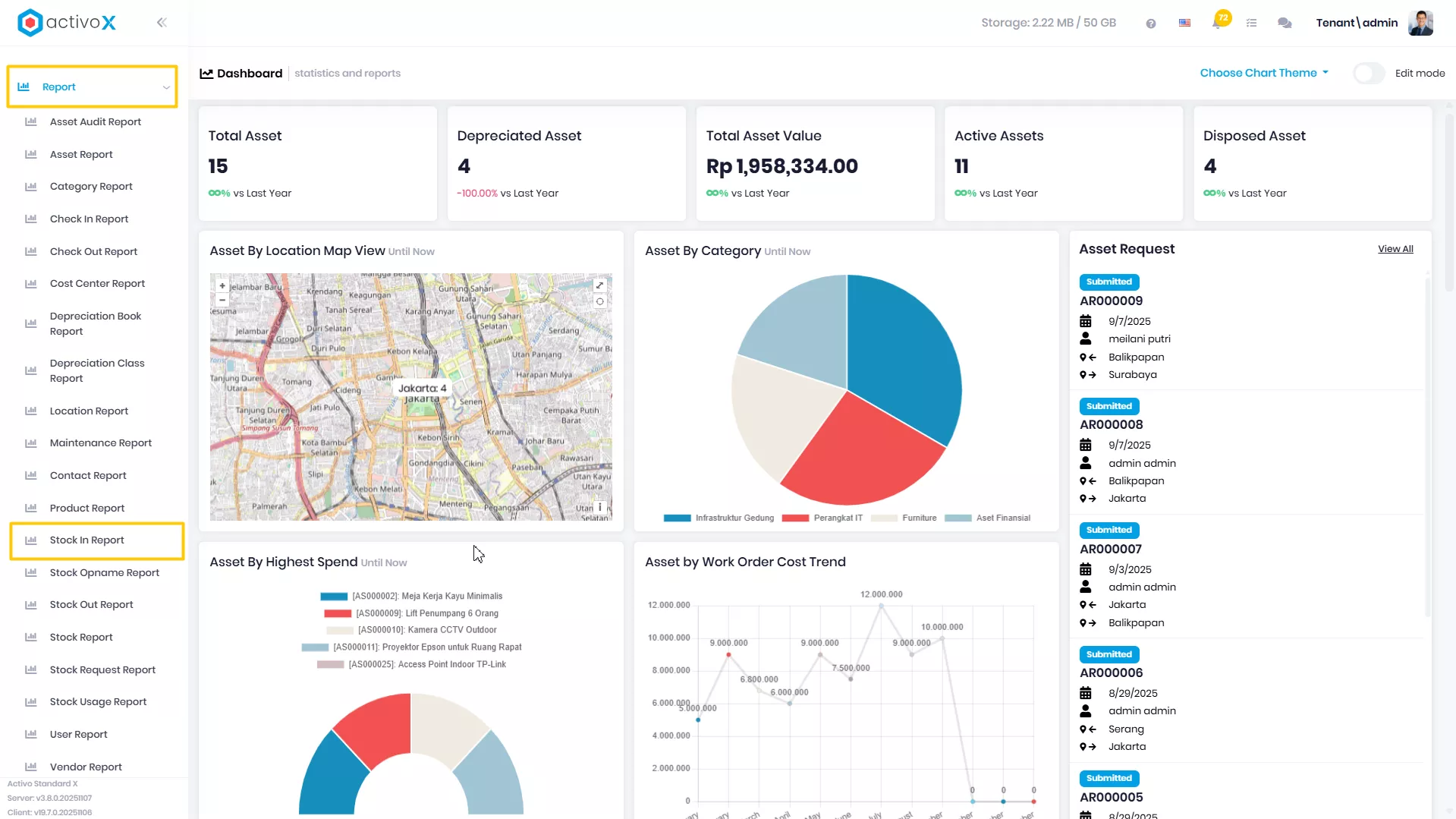
Klik menu Report lalu pilih Stock In Report.
-
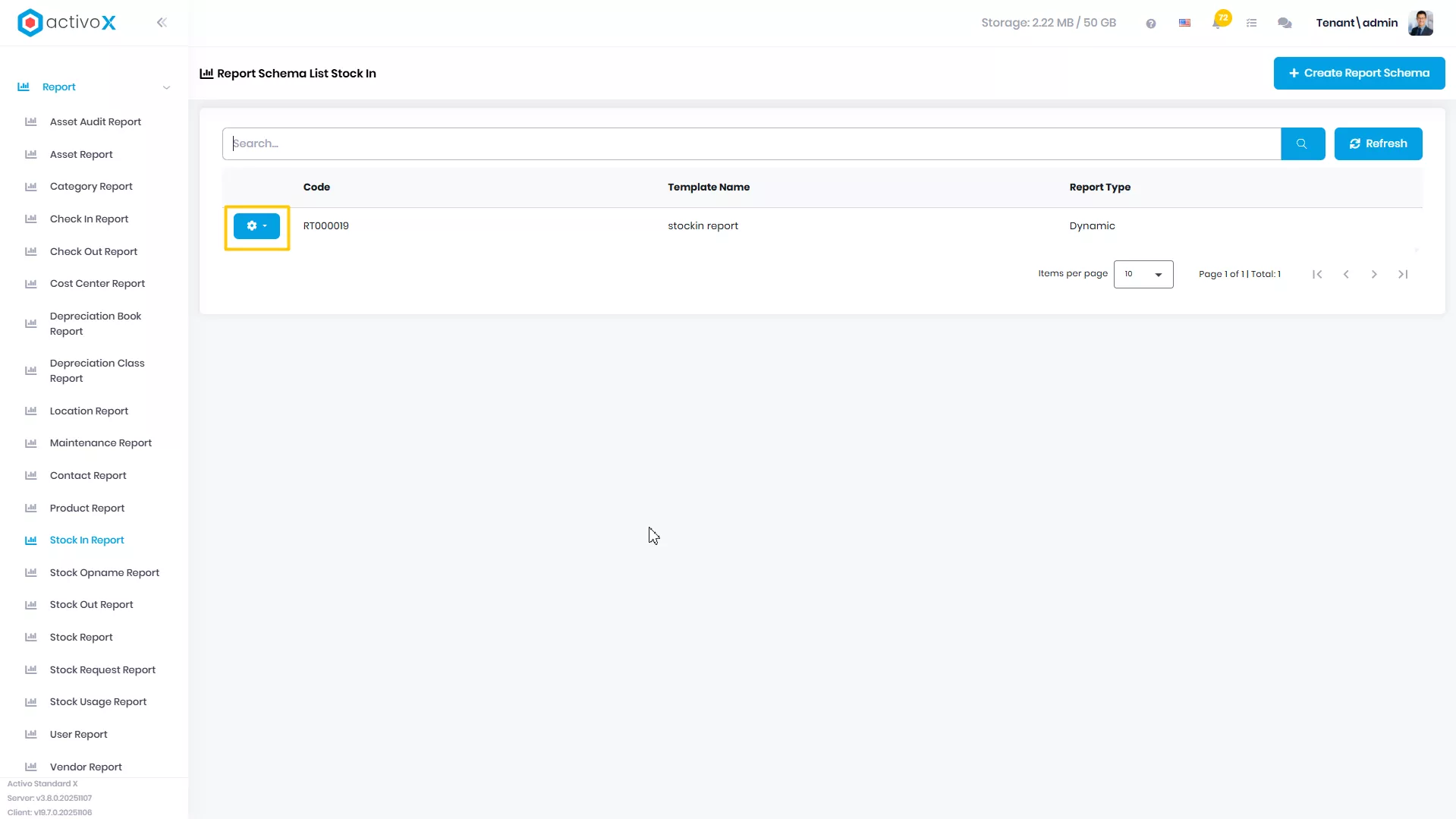
Pilih report yang akan dituju, lalu klik Action
-
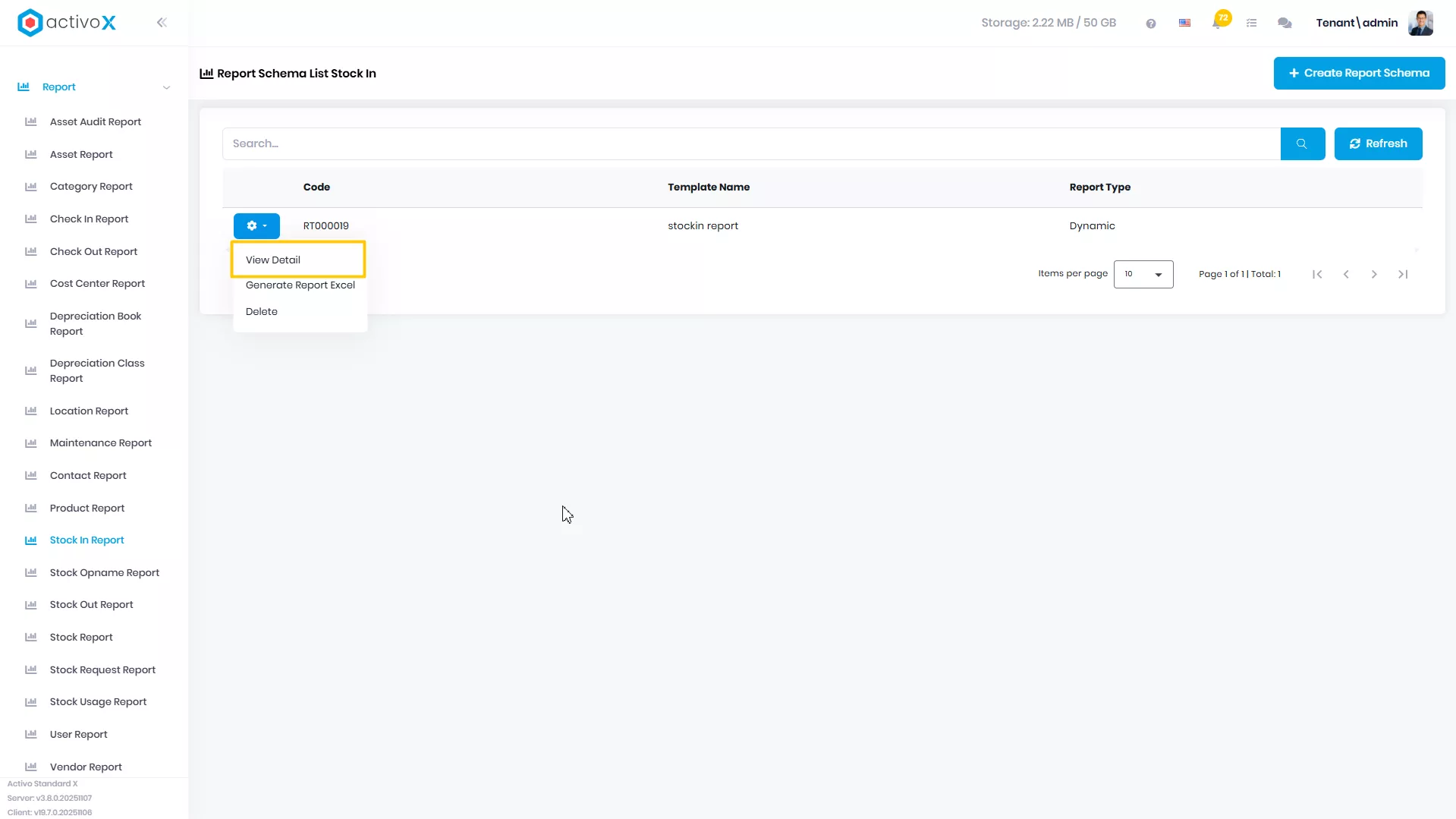
Klik View Detail
-
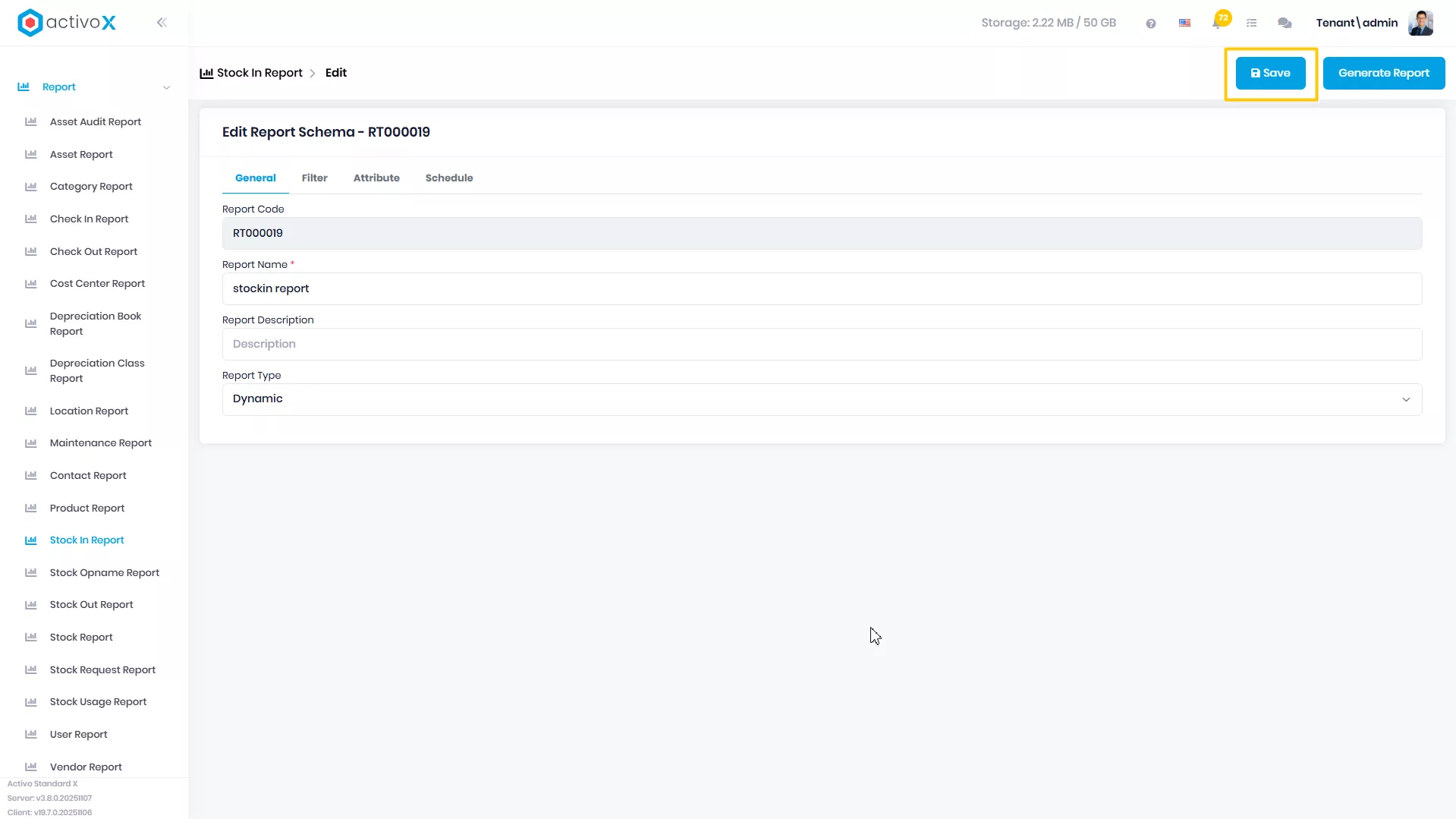
Ubah data Report, lalu klik Save
Generate Report
Anda dapat mengubah detail data Stock In Report yang telah dibuat pada Activo X.
-
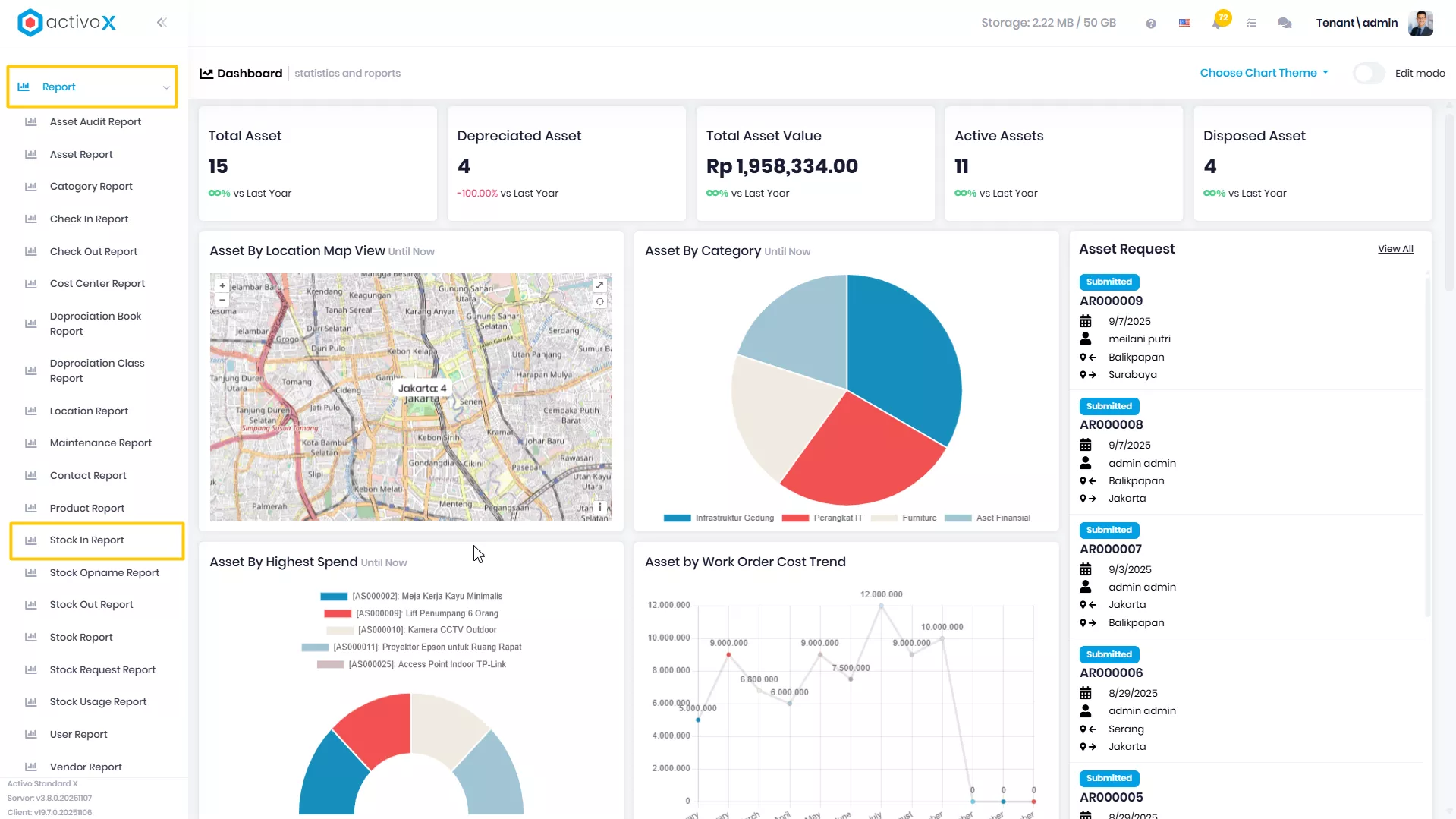
Klik menu Report lalu pilih Stock In Report.
-
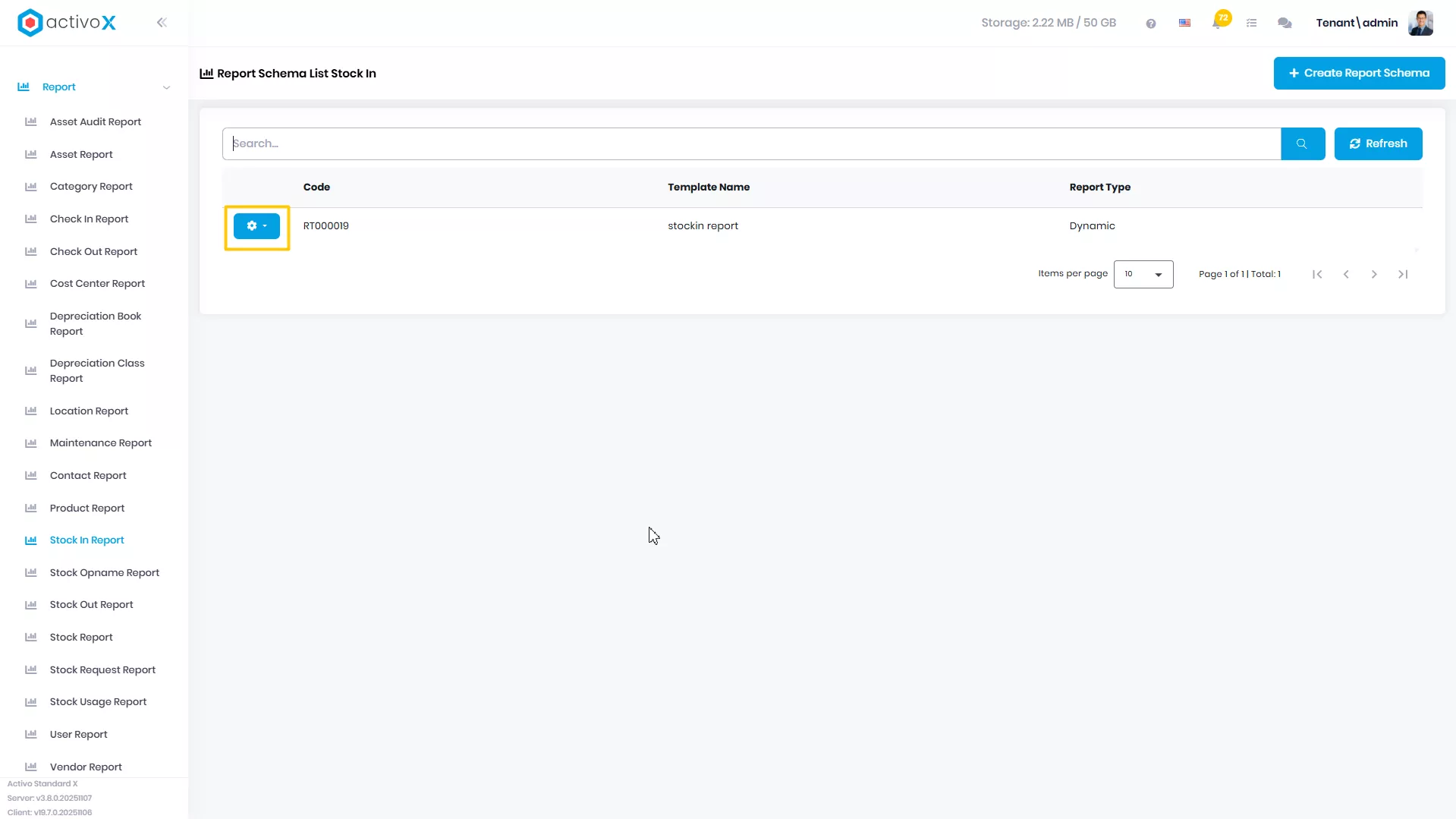
Pilih report yang akan dituju, lalu klik Action
-
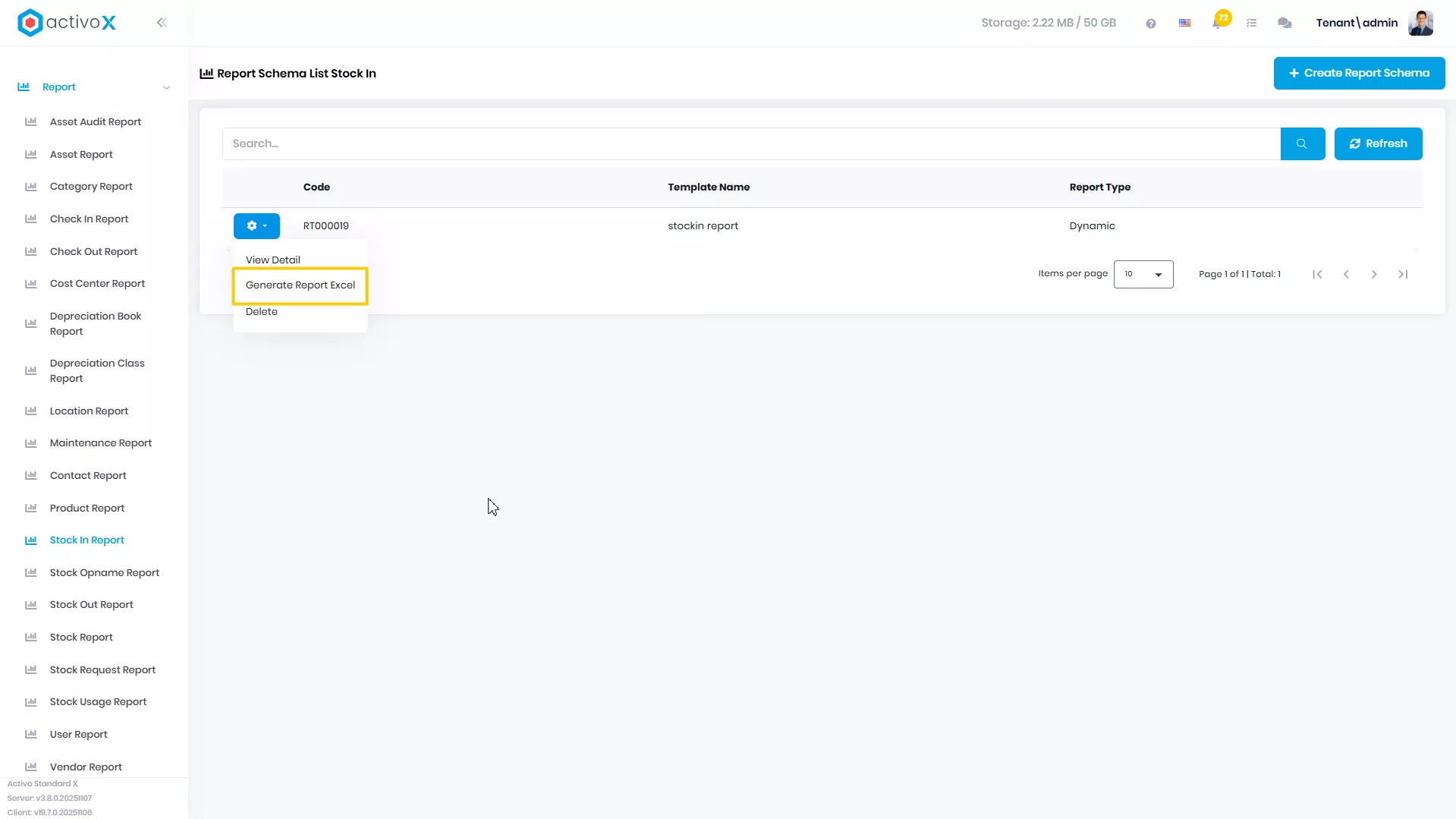
Klik Generate Report Excel
-
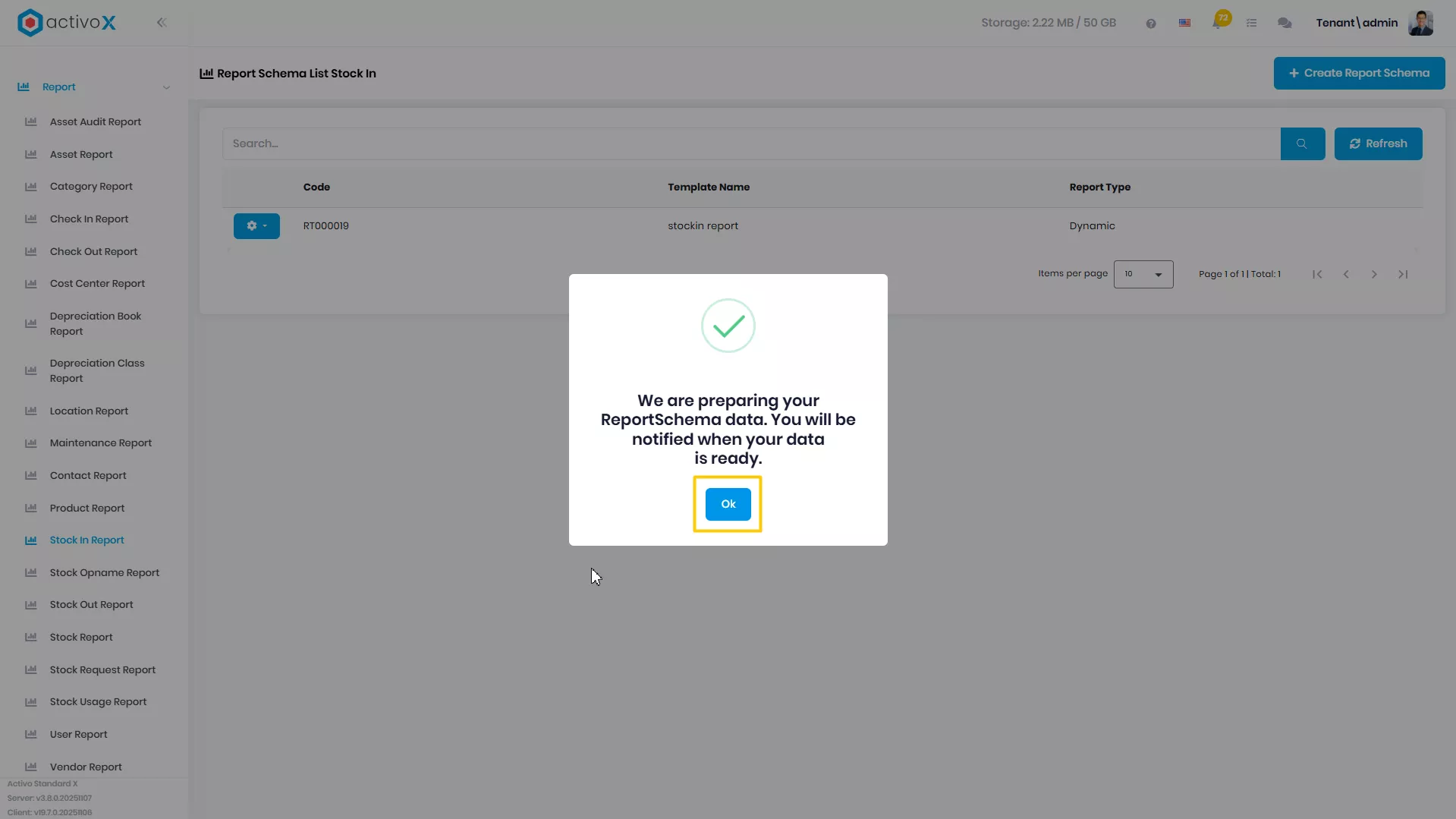
Sistem sedang menyiapkan laporan yang akan diunduh
-
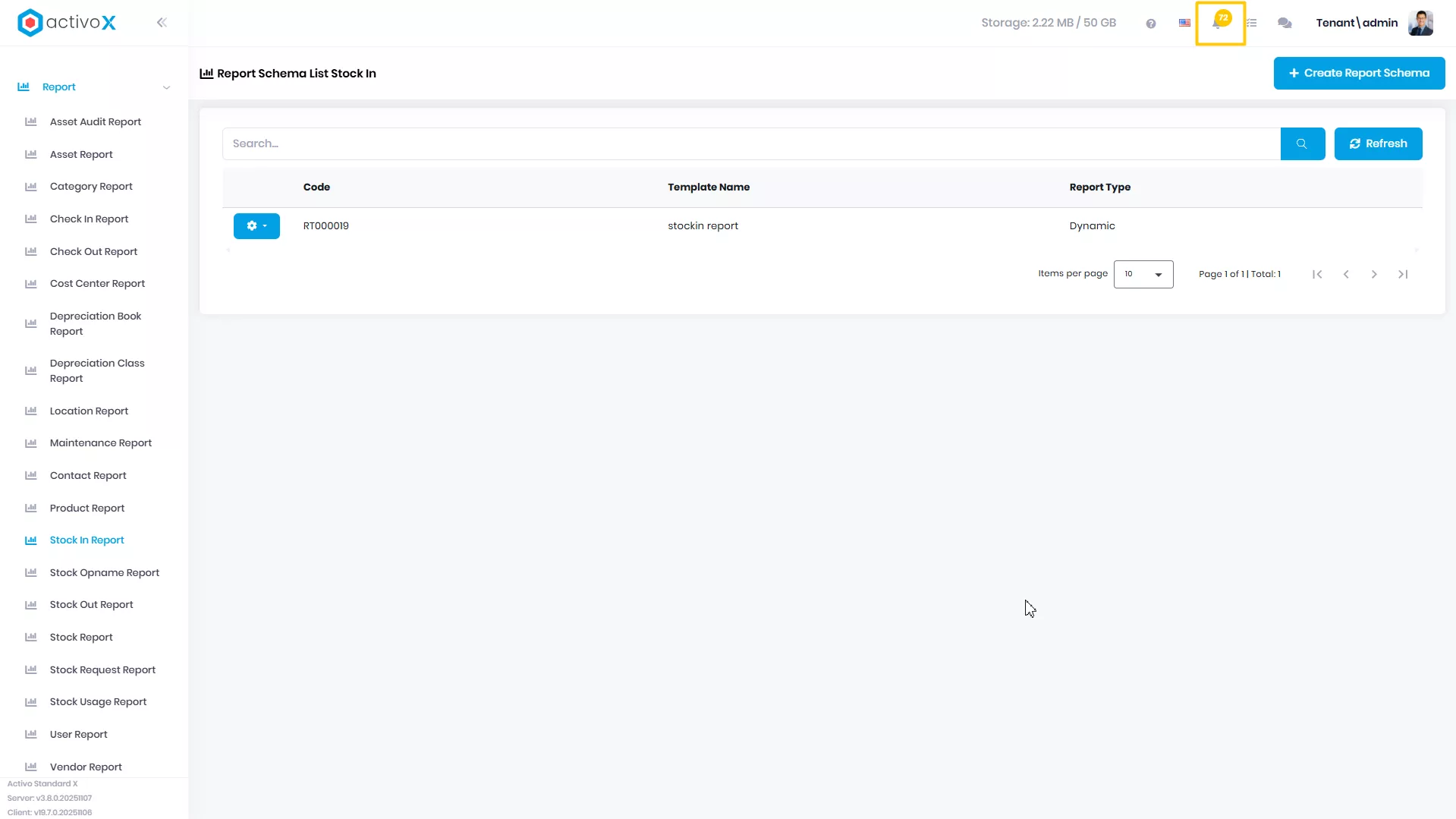
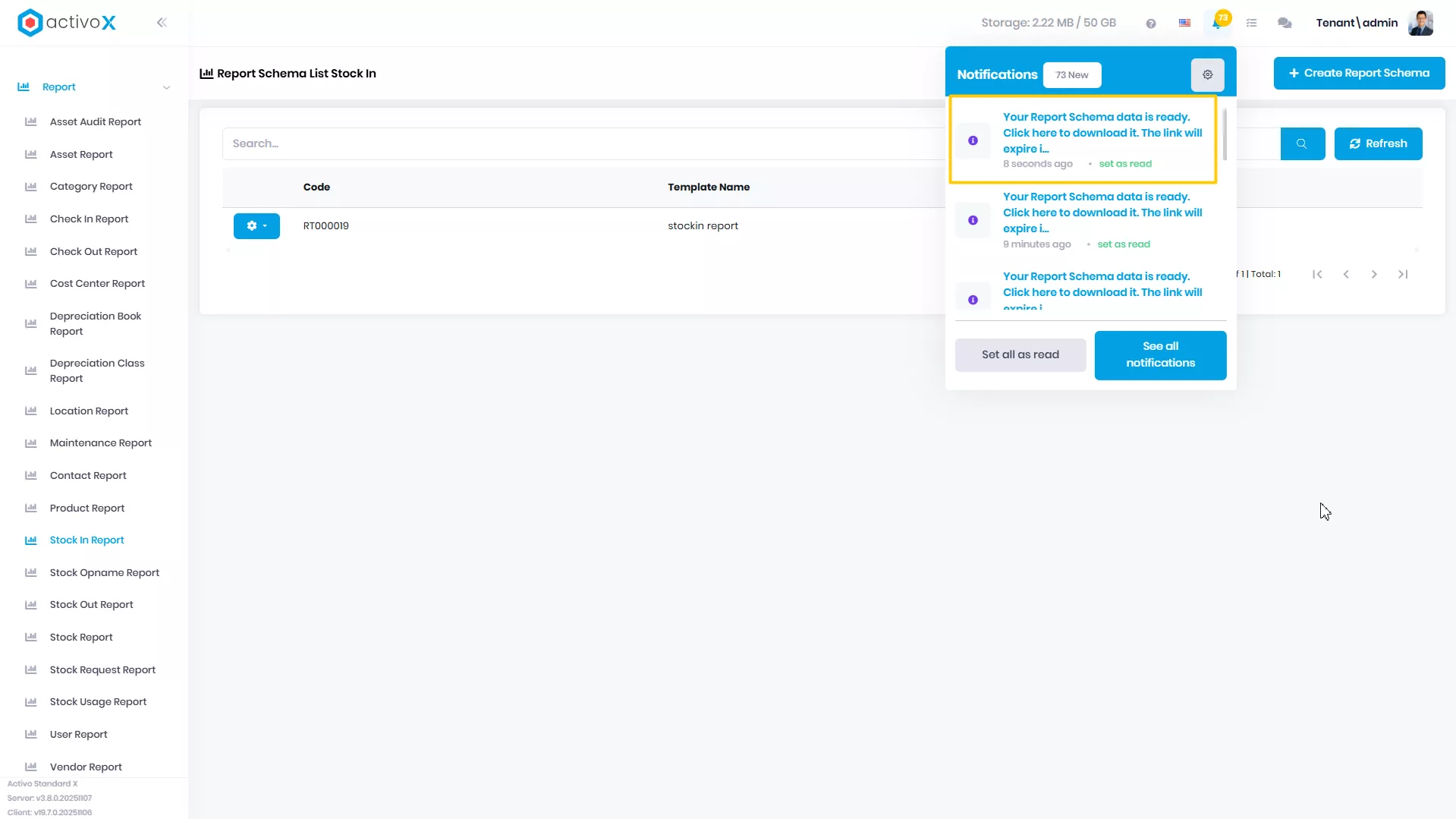
Buka icon Notification
-
Klik pada notifikasi yang berisi file ekspor untuk data Report Schema
Menghapus Report
Anda dapat menghapus Stock In Report yang sudah dibuat pada Activo X.
-
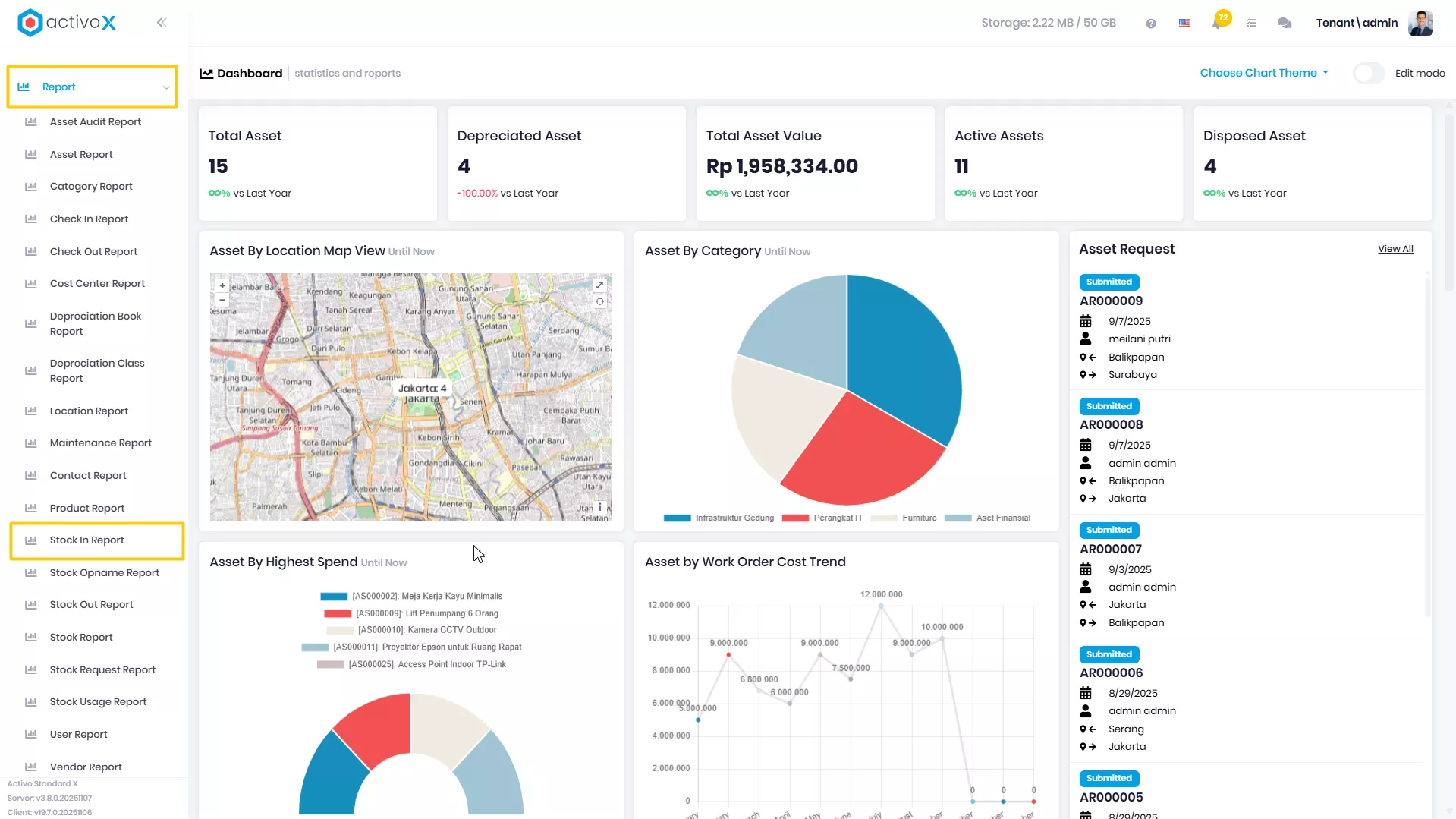
Klik menu Report lalu pilih Stock In Report.
-
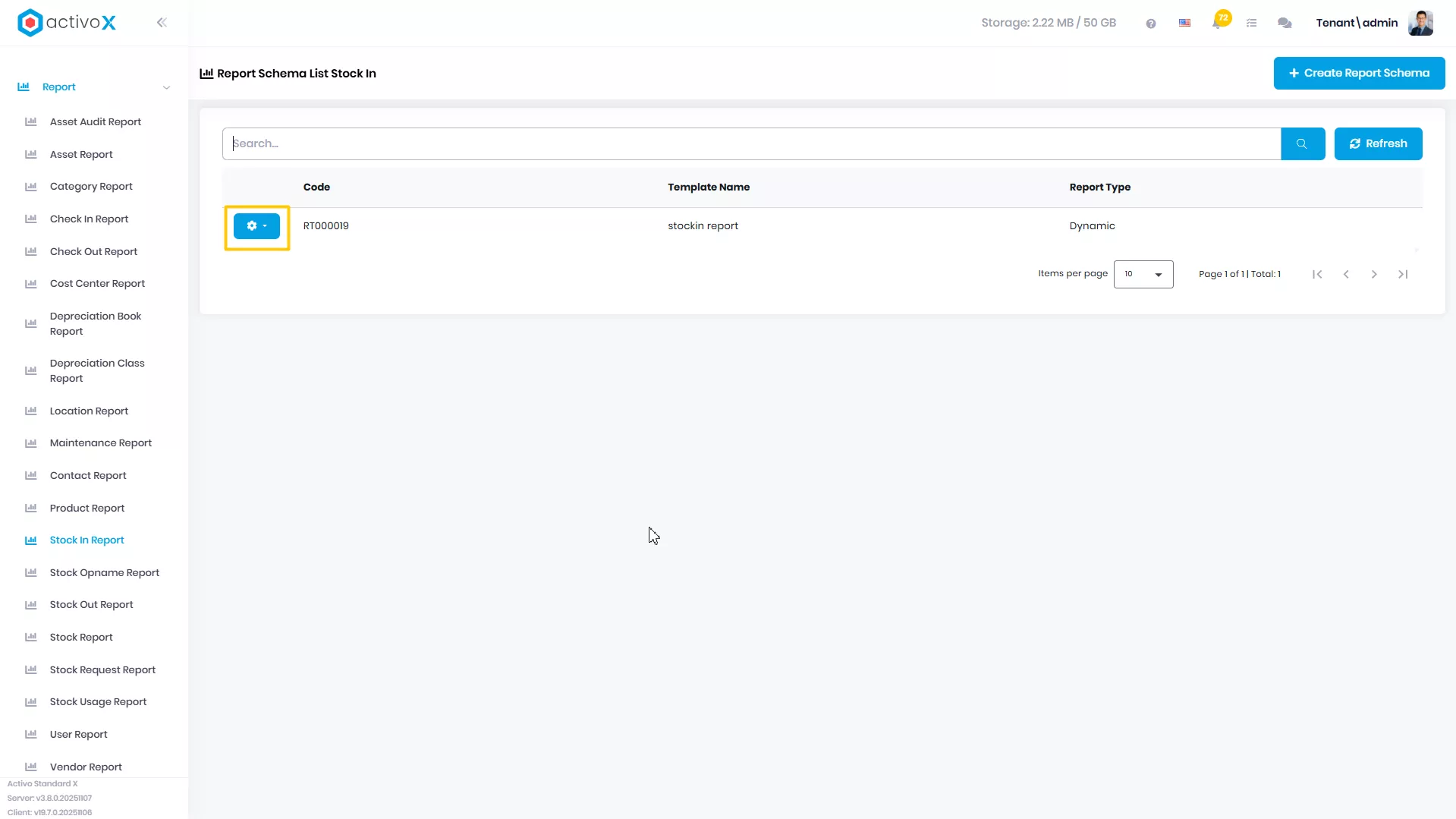
Pilih report yang akan dituju, lalu klik Action
-
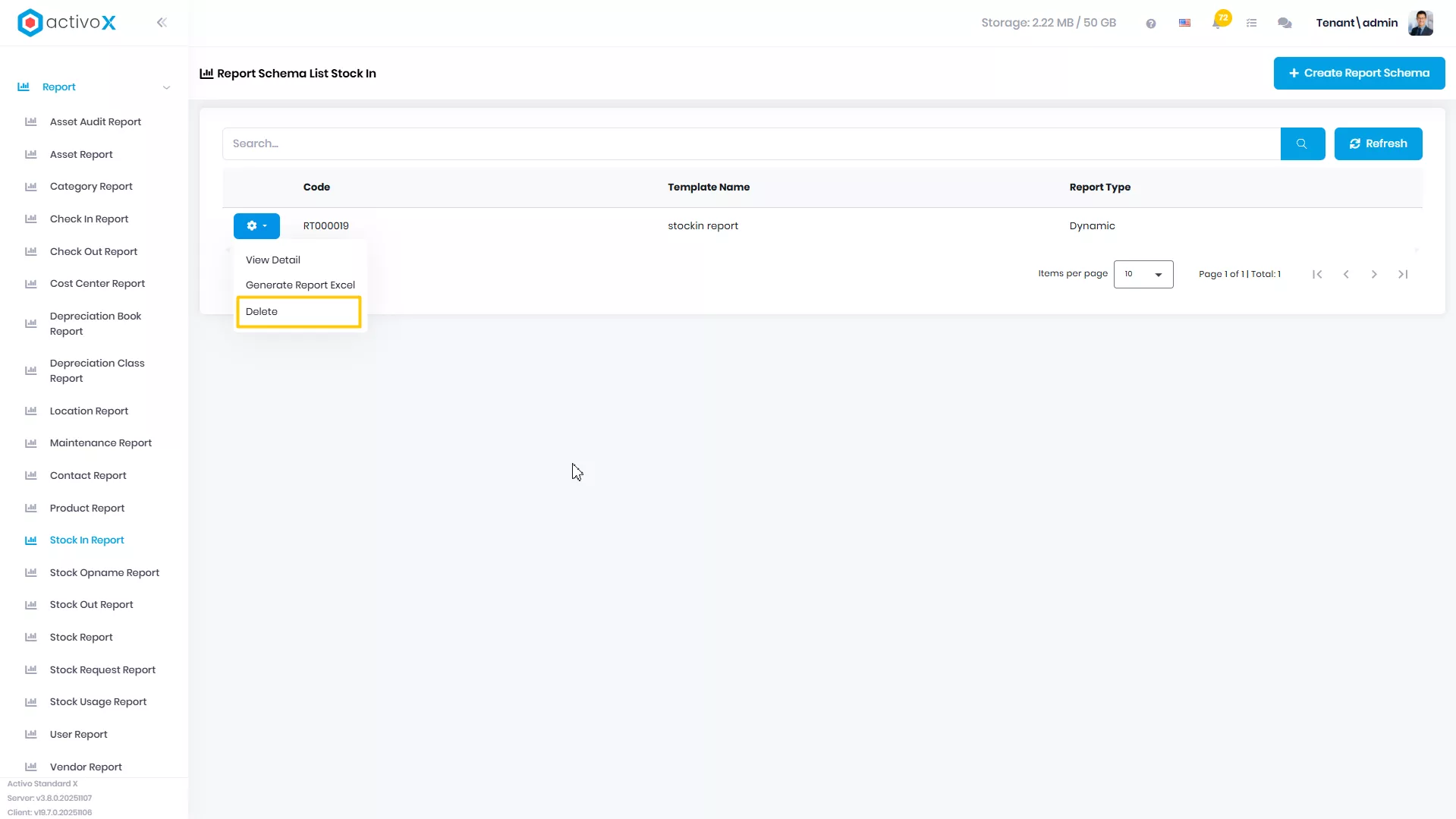
Klik Delete
-
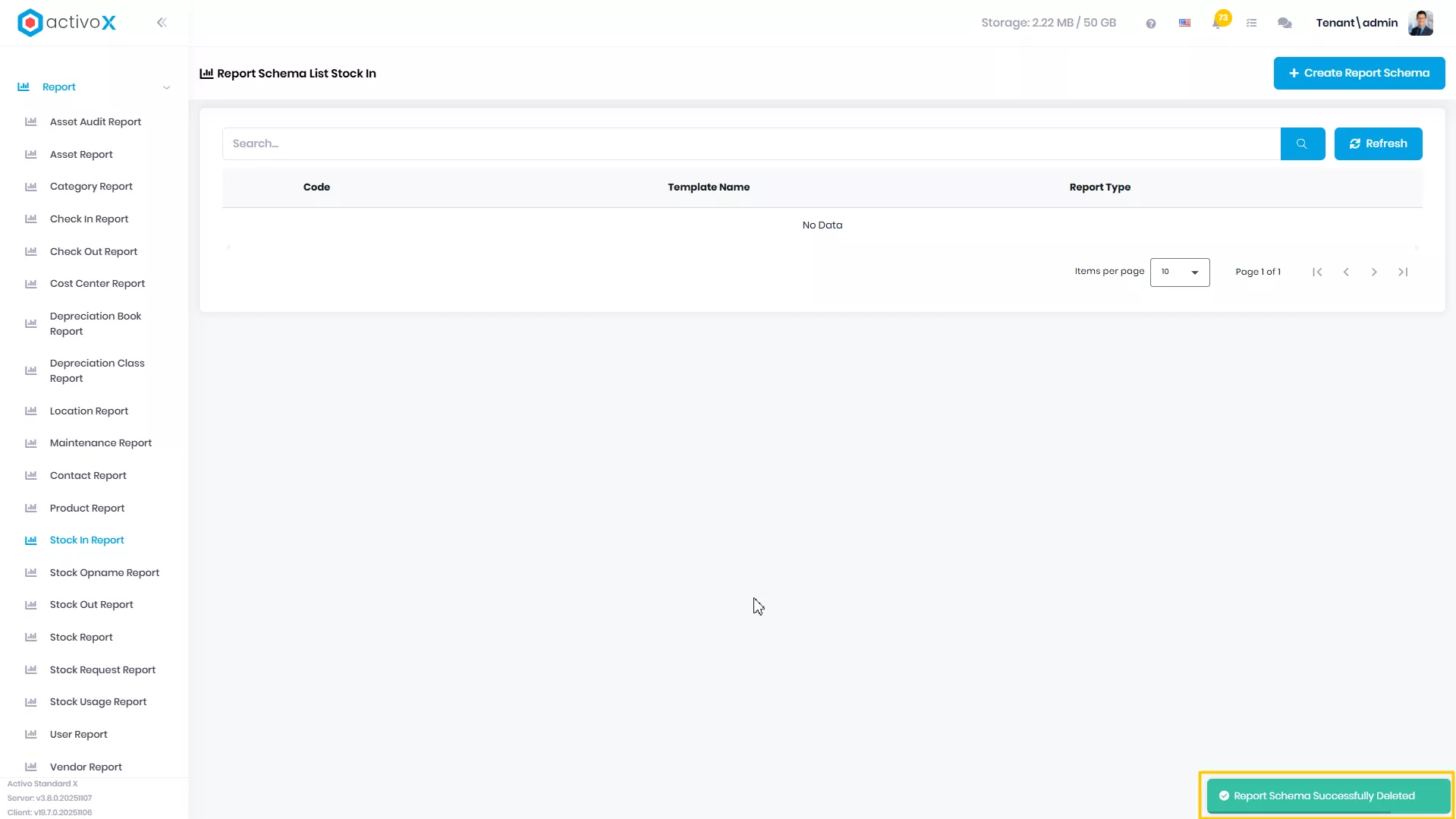
Report Anda berhasil di hapus